Clawdbot: The AI Agent That Actually Does Work: All to Know

Clawdbot, now widely referred to as Moltbot after a recent trademark‑related rename, has become one of the most talked‑about tools in the developer community. It isn’t just another chatbot. It’s an autonomous assistant designed to take real actions for you: booking flights, managing your inbox, updating calendars and more, all by integrating with your apps and systems.
Used well, it can free up hours of routine work. Used without care, it can expose sensitive data or take destructive actions on your systems. In fact, Heather Adkins, Google Cloud’s VP of Security Engineering, publicly urged people not to run Clawdbot, warning that it can create serious security risks.
Let’s break down how it works, what makes it different, how to set it up securely, and what real users and security experts are saying right now.
What Is Clawdbot?
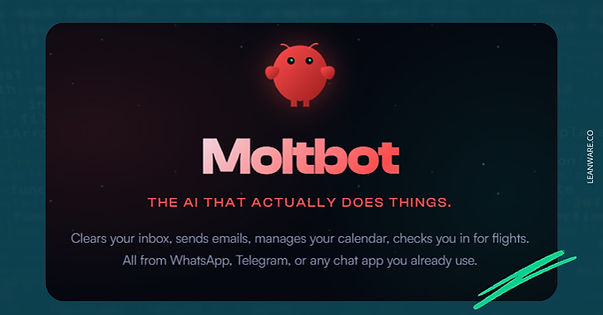
Clawdbot is an open-source, self-hosted AI assistant created by Peter Steinberger, the Austrian developer who founded PSPDFKit and sold it to Insight Partners. Unlike ChatGPT or Claude's web interface, Clawdbot runs on your own hardware and connects to messaging apps you already use.
The key difference from traditional chatbots: it takes action. When you ask ChatGPT to book a flight, it explains the steps. When you ask Clawdbot, it opens a browser, navigates the airline site, fills forms, and reports back. This "agentic AI" approach transforms the assistant from a conversational partner into something closer to a remote employee.
AI Assistant vs. Traditional Chatbots
Traditional AI chatbots wait in a browser tab. You visit them, ask questions, get answers, and leave. They have no persistent memory between sessions, no access to your files, and no ability to act on your behalf.
Clawdbot flips this model. It runs 24/7 on your machine, maintains persistent memory across conversations, and can proactively reach out when something needs attention. The system stores conversation logs and notes locally as Markdown files, creating a searchable knowledge base of your interactions over time.
How Clawdbot Is Different
Three architectural choices set Clawdbot apart. First, it runs locally on your hardware, whether that's a Mac Mini, Raspberry Pi, Linux server, or cheap VPS.
Second, you control it through familiar messaging platforms rather than a dedicated app. Third, it has full system access to execute commands, browse the web, and manipulate files.
The project uses a three-layer architecture. The Communication Layer connects to WhatsApp, Telegram, Slack, Discord, Signal, and iMessage. The Brain Layer routes requests to your chosen AI model, typically Claude or GPT-4, though local Ollama models work too. The Action Layer executes tasks through browser automation, shell commands, and file operations.
5 Key Features That Make Clawdbot Useful
The feature set explains why developers are rushing to try it. Each capability addresses a specific limitation of existing AI assistants.
1. Runs Locally or in the Cloud
You own the infrastructure. Install Clawdbot on a spare Mac Mini at home, and your data never leaves your premises. Alternatively, spin up a $5/month VPS for always-on access from anywhere. This flexibility matters for privacy-conscious users and enterprises with data residency requirements.
2. Remote Control From Anywhere
Message your home computer from your phone while commuting. Send a Telegram message saying "fix the failing tests on my project" and Clawdbot runs the loop, sending progress updates every few iterations. Users report debugging code from their phones while watching TV.
3. Full System Access
Clawdbot operates browsers, file systems, and applications like a human user. It can write code, execute scripts, install packages, and manage cloud storage. This capability cuts both ways, as the same access that enables productivity creates security risks.
4. Persistent Memory That Remembers You
The assistant maintains context across conversations and sessions. It stores notes about your preferences, ongoing projects, and past decisions. Ask about "the proposal I discussed last week" and it retrieves the relevant context from its local files.
5. Self-Improving Workflows and Skills
Users can create "Skills," which are reusable workflows the AI can execute. One user asked Clawdbot to build a flight price monitoring skill, and it wrote the code, installed dependencies, and started using it. The community skills library contains integrations for Linear, Jira, ClickUp, flight tracking, smart home control, and dozens more.
How to Set Up Clawdbot
Setup takes 20 to 60 minutes depending on your technical background. The project supports macOS, Windows, and Linux.
Installing on Your Computer
The quick installation uses a one-liner:
curl -fsSL https://clawd.bot/install.sh | bash
This detects your OS, installs Node.js if needed, and runs the configuration wizard. The wizard asks for your AI provider API key, preferred messaging channels, and whether to run as a background daemon.
One trend worth noting: Mac Mini sales reportedly spiked as developers bought dedicated machines for their AI assistants. Running Clawdbot on your primary laptop introduces risks, as a misconfigured agent with root access can cause significant damage. A separate machine provides isolation.
Using a Virtual Private Server (VPS)
Many security-conscious users recommend running Clawdbot on a disposable VPS rather than personal hardware. This approach isolates the agent from your main systems and keeps sensitive credentials off your primary devices.
Set up involves spinning up a basic Linux VM, SSH'ing in, running the installer, and configuring your messaging channels. Monthly costs run $5 to $20 depending on provider and specs.
Connecting Your APIs (Claude, OpenAI, etc.)
Clawdbot requires an API key from your chosen AI provider. Most users select Anthropic's Claude for its strong agentic capabilities and resistance to prompt manipulation. You can also use OpenAI's GPT-4 or local models via Ollama for offline operation.
During setup, paste your API key into the wizard. The system stores credentials locally, which is why proper security configuration matters.
Configuring Clawdbot With Slack
Slack integration lets teams share an AI assistant across channels. Create a Slack app in your workspace, generate a bot token, and paste it into the Clawdbot configuration. The assistant can then summarize channels, respond to questions, and execute tasks on behalf of team members.
Use Cases & Examples
Many users on X have shown a wide range of practical automation and personal assistant tasks with Moltbot (formerly Clawdbot/Clawd). These examples show both everyday productivity workflows and more complex agent-driven automation, with real-world use documented in posts and videos
Daily AI News Digests
Users configure Moltbot to automatically gather and summarize daily information. For instance, Dan Peguine sets up the assistant to read RSS feeds, newsletters, and X/LinkedIn trends. Every morning, it delivers a concise briefing covering weather, health stats, objectives, meetings, and relevant book quotes. This approach distills large amounts of information into actionable highlights, eliminating the need for manual curation.
Personal and Productivity Automation
Some users focus on routine productivity and task orchestration. André Foeken
shared an extensive list of tasks Moltbot can handle:
- Filtering and checking incoming mail/messages via Beeper
- Ordering items and sending reminders to Tana
- Creating GitHub issues and syncing Google Places
- Reading X bookmarks and summarizing content into PDFs
- Tracking Dutch train schedules and splitting trip costs
- Managing a read-only 1Password vault
- Generating images and performing voice calls
- Searching email, contacts, and monitoring Claude usage
All of these tasks are executed through conversational commands, showing how Moltbot can manage complex workflows without heavy coding.
Media and Automation Tasks
Samin documented eight personal uses, including:
- Browser automation during travel
- Managing sponsorship emails
- Auto-clipping videos into shorts
- QA-checking website links
- Pushing code fixes to GitHub
- Controlling functions from an Apple Watch
Additionally, Moltbot supports headless video rendering through Remotion, allowing users to generate React-based video content from textual instructions without a GUI.
Custom Skills and Plugins
Moltbot’s extensibility allows specialized workflows. The skills library includes integrations for Linear, Jira, ClickUp, flight tracking, smart home control, and more. For example, Scott Tolinski
created a custom chat interface for routine tasks while intentionally limiting access to sensitive channels to maintain safety.
Hardware and Physical Integration
Kitze shows integrating Moltbot with a car, enabling automation directly through the vehicle. This shows that Moltbot can bridge digital workflows with physical hardware.
Agency and Team Automation
For team and agency use, Wes Foster reported saving 15 hours in a single week by delegating:
- Client reporting
- Email management
- Proposal writing
- Meeting scheduling
Security Concerns and Best Practices
The security posture around Clawdbot (now Moltbot) deserves real scrutiny. Its core value proposition requires broad access to systems, credentials, and communications. When that power meets common deployment mistakes, the result is a large and very real attack surface.
Several researchers and security experts have documented instances where Clawdbot servers were accessible to anyone on the internet, complete with sensitive configuration data.
Why Security Matters
Security researcher Jamieson O’Reilly discovered hundreds of Clawdbot instances wide open on the public internet. Using Shodan to search for the distinctive “Clawdbot Control” interface, he found servers exposing full configuration files, API keys, bot tokens, OAuth secrets, and conversation histories. Estimates ranged from 900 to over 1,800 unprotected instances in just days.
O’Reilly highlighted that the exposed instances allowed attackers to:
- Access all integrated messaging platforms (Slack, Telegram, Signal, WhatsApp, Discord)
- Exfiltrate private conversation histories and attachments
- Execute arbitrary commands on the host machine
In one case, an exposed instance was running as root in a container, granting full system access without authentication. Another left Signal integration credentials readable, bypassing end-to-end encryption protections. O’Reilly stressed that even users familiar with security best practices often misconfigure these systems, demonstrating how easy it is for attackers to gain control.
This is why Heather Adkins, Google Cloud’s VP of Security Engineering, publicly warned:
Security firm SlowMist also confirmed the risk, noting that hundreds of API keys and chat logs were exposed, and unauthenticated gateways could lead to credential theft or remote code execution.
A separate write‑up by Chirag (@mrnacknack) walked through how common “vibecoder” setups compound these risks. He outlines how default VPS settings, exposed control gateways, unrestricted bot access in chat platforms, prompt injection via email or documents, and privileged Docker configurations can cascade into full account and infrastructure compromise. The takeaway is not that the attacks are clever, but that the defaults and deployment patterns make them unnecessary.
Running on Dedicated Machines vs. VPS
Security experts recommend isolating Clawdbot entirely from your primary environment. Options include:
- A dedicated Mac Mini or PC used solely for AI tasks
- A virtual machine via Proxmox or Docker
- A disposable VPS on a separate network
Never deploy Clawdbot on a machine with sensitive data or work-critical access. Use firewalls, network segmentation, and secure tunnels (e.g., Cloudflare Tunnel, Tailscale) for remote access. Do not expose port 18789 directly to the internet.
Isolation reduces the potential blast radius if an attacker gains control, and it enforces a principle of least privilege in a system that otherwise violates it by design.
API Key Safety Tips
Protect your credentials using concrete practices:
- Bind servers to localhost and enforce strict firewall rules
- Rotate API keys regularly, especially after suspected exposure
- Enable authentication on the web admin interface
- Use Cloudflare Tunnel or Tailscale instead of direct internet exposure
Every exposed key could allow full agent control, making credential hygiene essential. As O’Reilly demonstrated, even seemingly minor misconfigurations can reveal months of sensitive conversation history and API tokens in plaintext.
What People Are Saying Right Now
Conversation around Moltbot on X shows a familiar pattern for early agentic systems. Interest spiked fast, real use cases followed, and criticism surfaced just as quickly once more people tried to run it themselves.
Rapid Attention and Early FOMO
Several posts focused less on features and more on how fast Moltbot spread.
@MoonyAmoon137 pointed out that even an overhyped demo post reached hundreds of thousands of views, which reflected demand for automation rather than proof of technical maturity.
@SpaceCoastTesla framed the moment as a typical early peak, noting how rebrand confusion and fewer follow-up demos often mark the transition from novelty to scrutiny.
At the same time, posts like @deepak21684 argued that early tools should be evaluated on whether people find them useful at all, not whether they meet enterprise expectations.

Others, such as @sam_starkman, leaned heavily into urgency, encouraging people to try Moltbot immediately to avoid falling behind.
Productivity Wins and Experimental Setups
Many users shared concrete examples of automation that worked.
@sam_starkman described using Moltbot for research, drafting, and tool integration.@realwesfoster broke down agency workflows like reporting, email handling, and proposal writing, estimating significant time savings over a single week.
Others focused on experimentation rather than scale. @rezoshm highlighted low initial API spend and emphasized that chaining actions mattered more than model choice.@0xZakk explored browser control and app scaffolding, framing Moltbot as closer to an operator than a chat interface.
A few posts intentionally exaggerated outcomes, like @chiefmohitbhat, which served more as commentary on hype than as technical claims.
Security, Reliability, and Trust Boundaries
Security concerns surfaced early and repeatedly.
@codewithsamzy and @Click_Soup amplified findings of publicly exposed Moltbot admin panels leaking credentials and chat data. @AdamDubya1990 urged people to review risk analyses before running Moltbot with real accounts connected.
More technical breakdowns, such as @aiedge_, focused on common misconfigurations and mitigation steps. Reliability also came up. @mvrckhckr described inconsistent behavior even on simple tasks, contrasting sharply with polished demos.
Setup Friction, Costs, and Hardware Choices
Many posts converged on setup as the real barrier. @Shills_81 warned that running Moltbot without proper isolation effectively opens a security backdoor. Cost surprised some users, especially when using higher-end models, as noted by @jasonappleton.
Hardware decisions became part of the discussion. @ShrivuShankar described running Moltbot on a dedicated Mac Mini with high daily token costs, while @ChrisCoffee documented moving to a VPS after local attempts failed.
Comparisons and Positioning
As alternatives appeared, users began situating Moltbot within a broader landscape.@shannholmberg contrasted it with other agent platforms, framing Moltbot as a personal automation tool rather than a business system. @DraxBug questioned whether the complexity was justified for simpler workflows.
Several posts clarified that the rename introduced no functional changes, including @EduLabordaYYS and @ArAIstotle, reinforcing that Moltbot remains the same system under a new name.
Impact of the Name Change to Moltbot and Community Chaos
On January 27, 2026, Anthropic requested a name change due to trademark concerns with "Claude." The project’s creator, Peter Steinberger, announced the rename and clarified that the software itself remained the same.
During the rename, Steinberger made a critical mistake. He tried to change the GitHub organization and X handle simultaneously. In the approximately 10-second gap between releasing the old handles and claiming new ones, crypto scammers grabbed both accounts.
The hijacked accounts immediately began promoting fake $CLAWD tokens on Solana, briefly reaching a $16 million market cap before crashing when Steinberger publicly denied any involvement.
The Future of AI With Tools Like Clawdbot
Clawdbot marks a move from chatbots that just respond to ones that can act on your behalf. Since Anthropic introduced the Model Context Protocol in late 2024, there’s been a growing focus on AI that can handle tasks automatically.
- These agents can manage routine work like emails, calendar updates, and file organization, freeing up time for higher-level decisions.
- The shift is about reducing friction in getting things done, not replacing human judgment.
- Security is a key consideration: granting system access expands the attack surface, so proper isolation and safeguards are essential.
Overall, tools like Clawdbot show a practical evolution in AI: continuous, task-oriented assistance, where careful deployment is just as important as capability.
Next Step
Clawdbot delivers a genuine preview of where personal AI is heading. Users who configure it properly report transformative productivity gains. The ability to control your computer from any messaging app and have an AI execute complex workflows autonomously represents a meaningful advancement.
The risks are equally real. Running an AI agent with full system access on internet-exposed infrastructure invites trouble. The exposed instances and credential leaks demonstrate what happens when security takes a backseat to convenience.
For technically capable users willing to follow security best practices, Clawdbot offers capabilities unavailable elsewhere. For everyone else, waiting for the security model to mature makes sense.
You can also connect with us to explore how AI tools like Clawdbot can streamline your workflows, improve task automation, and keep your systems secure.
Frequently Asked Questions
What exactly is Moltbot/Clawdbot, and why did it go viral?
It's an open-source, self-hosted personal AI agent (built around Claude) that runs on your own machine and actually performs real tasks - like triaging emails, booking flights, managing calendars, controlling your browser/apps, sending proactive messages via WhatsApp/Telegram/Slack/Discord, and more - instead of just chatting.
It went viral because demos showed it automating hours of work (e.g., saving agencies 15+ hours/week), it feels like a real "Jarvis" assistant that messages you first, and the open-source + local-run aspect gave people excitement about privacy/control compared to closed tools.
Is Moltbot safe/secure to run, or are the security warnings real?
The warnings are very real - especially if misconfigured. Hundreds of instances were found publicly exposed (leaking keys, chats, creds via Shodan), leading to risks like full takeovers, prompt injection, or data leaks. Google Cloud's VP of Security Engineering publicly said "Don't run Clawdbot" due to threat models. It's not malware, but giving it broad system access (files, shell, email) without hardening (sandboxing, firewalls, no public exposure, proper auth) can be dangerous. The project has security audit commands (moltbot security audit --deep), pairing mode for DMs, and emphasizes user-controlled infrastructure - but non-experts should proceed with extreme caution or use isolated setups.
How much does it actually cost to run?
The software itself is free (MIT-licensed, open-source). Main costs come from:
- LLM API usage (usually Claude via Anthropic) - users report $20–$120+/month depending on activity (some woke up to surprise $120 bills from heavy token use).
- Hosting/hardware: ~$5/month on a basic VPS, or free on your existing Mac/laptop/Raspberry Pi (many bought Mac Minis during the hype).
- Total realistic range for active users: $25–$100+/month, far cheaper than a human VA but can spike if not rate-limited or optimized.
How do I install and set it up? Is it beginner-friendly?
Installation is surprisingly straightforward for an agent like this: one-liner curl script (curl -fsSL https://molt.bot/install.sh | bash) handles Node.js and dependencies on Mac/Windows/Linux. Setup takes 5–30 minutes for most (pair with chat apps, grant permissions, configure models). It's CLI-based, so somewhat technical, but users call it "addictive" even for non-coders once running. Guides abound (YouTube, DigitalOcean, docs.clawd.bot). Common pitfalls: API key setup, model limits, or security hardening. After install, it often asks what access it needs (e.g., WHOOP data, email).
What can it actually do/real use cases?
Beyond basic chat, viral demos show: inbox triage & auto-replies, calendar scheduling/conflict resolution, flight/hotel bookings, proactive notifications (e.g., price drops, reminders), browser automation, GitHub issue creation, summarizing threads/PDFs, generating reports from Slack/email, controlling local apps/devices, building custom skills from videos/recordings, and running background tasks. People use it for personal productivity (daily briefs, research), agency work (client reports, proposals), or even quirky stuff (cost-splitting trips, impersonating in chats). It chains tasks autonomously but can hallucinate/make up data or need oversight on complex actions.