Hospital Software Development
Hospitals today are under pressure from every side. Patient volumes are increasing, administrative workloads keep growing, regulations are tightening, and hospitals are expected to offer faster and more accurate services with limited staff. At the same time, patients now expect digital convenience the same way they do in banking or e-commerce. They want quicker registration, appointment reminders, digital reports, and smoother communication.
This is why hospital software development has become a critical investment for modern healthcare organizations. Hospitals are no longer adopting generic tools just to “go digital.” They are actively building or customizing software platforms that match their clinical workflows, improve care coordination, reduce errors, strengthen compliance, and provide better patient outcomes.
Whether the goal is to modernize legacy systems, automate departments, or create a complete hospital information ecosystem, software development is now at the heart of hospital modernization.
What Is Hospital Software Development?
Hospital software development refers to the design, engineering, implementation, and maintenance of digital systems that support hospital operations and clinical care. It includes software that manages patient registration, clinical records, lab reporting, inventory, billing, staff workflows, analytics, and communication between departments.
Unlike regular business software, hospital systems operate in a high-risk environment where accuracy, security, and speed are essential. A small software failure can disrupt admissions, delay lab results, or cause billing errors. That’s why hospital software development is closely tied to improving patient safety, staff efficiency, and compliance standards.
In most hospitals, software is built around core clinical and administrative systems such as HIS (Hospital Information System), EHR (Electronic Health Records), EMR (Electronic Medical Records), and complementary modules like scheduling, billing, pharmacy, and reporting. In well-planned implementations, these modules are not isolated.
They work as a connected ecosystem where data moves seamlessly between doctors, nurses, lab teams, radiology departments, and hospital administration.
Ultimately, hospital software development helps healthcare organizations reduce operational friction, improve clinical accuracy, and make the hospital experience smoother for both patients and staff.
Types of Hospital Software Solutions
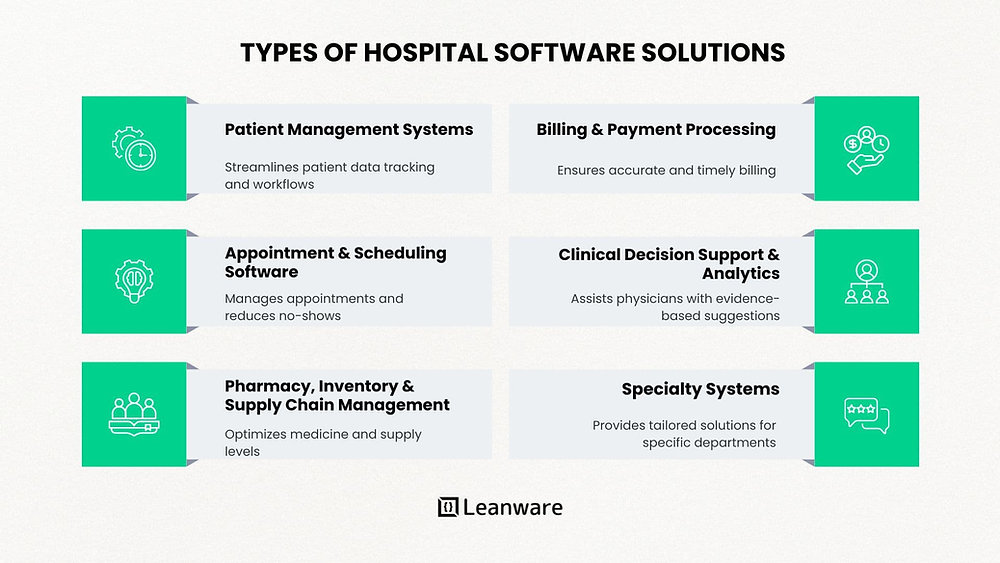
Hospitals do not run on a single system. They require multiple solutions because hospital workflows are naturally divided into departments and functions: patient management, appointment scheduling, pharmacy, lab workflows, radiology imaging, billing, and clinical analytics. Each department has different requirements, and that’s why modern hospital platforms are usually modular.
Some hospitals adopt ready-made platforms, but many prefer custom software development because it allows better alignment with real hospital workflows. A hospital that handles emergency-heavy patient flow will not operate the same as a specialized private hospital focused on elective procedures. Software needs to match that reality.
Below are the main types of hospital software solutions commonly developed and deployed.
Patient Management Systems
A patient management system is a foundational hospital module because it controls how patient information is captured, stored, and tracked throughout the patient journey. From the moment a patient enters the hospital until discharge, every interaction generates data, and managing that data accurately is critical.
These systems typically streamline activities like patient admission, discharge, and transfer workflows. They reduce paperwork and make it easier for staff to track patient location, department assignments, and treatment status.
For example, in a busy hospital setting, a patient management module can help staff quickly identify which beds are available, which department the patient is currently assigned to, and whether discharge clearance is pending. This is especially important for improving patient flow and reducing congestion.
Appointment & Scheduling Software
Scheduling in a hospital is not just about booking a time slot with a doctor. Hospitals need to coordinate appointments across multiple levels: patient availability, doctor schedules, room availability, procedure timings, and service dependencies such as lab tests or imaging requirements.
Appointment and scheduling software improves this process by allowing hospitals to manage schedules centrally and reduce delays. It can support automated reminders through SMS or email, which significantly lowers no-show rates.
Many hospitals also add patient self-service features where patients can book follow-up appointments without calling the hospital. This reduces the burden on reception staff while improving patient satisfaction.
Pharmacy, Inventory & Supply Chain Management
Hospitals manage a large number of medicines and medical supplies, and inventory mistakes can be costly. Running out of critical medicine can cause treatment delays, while over-ordering leads to wastage, especially due to expiry. This is where pharmacy and inventory systems become essential.
These solutions track stock levels in real time, monitor expiry dates, and automate reorder processes based on consumption patterns. They also help hospitals monitor medicine usage department-wise, which supports both financial control and internal accountability.
For example, if a hospital finds that certain supplies are consistently being wasted or disappearing, inventory reports can quickly highlight patterns and help management tighten controls.
Billing & Payment Processing
Hospital billing is complex because it blends clinical workflows with insurance requirements, medical coding standards, and department-based cost structures. A hospital billing system has to manage consultation fees, lab charges, imaging costs, medicines, inpatient stays, surgical procedures, and additional service charges.
Billing and payment processing software ensures invoices are accurate, transparent, and generated in real time. It also supports insurance claim processing and integration with payment gateways for digital payments. A strong billing module reduces errors and claim rejections, which directly improves revenue collection. It also speeds up patient discharge since billing delays are one of the most common operational bottlenecks in hospitals.
Clinical Decision Support & Analytics
Clinical Decision Support Systems (CDSS) improve clinical accuracy by assisting physicians with evidence-based suggestions, risk flags, and automated alerts. These systems do not replace doctors, but they provide intelligent support that reduces errors.
For example, CDSS can alert physicians if a prescribed medication has a known contraindication with another drug the patient is already taking, or if lab values fall in critical ranges that need immediate attention. When connected with analytics, hospitals can also identify treatment trends, reduce readmission rates, and standardize clinical practices.
Specialty Systems (LIMS, RIS/PACS, etc.)
Hospitals often require specialized department-level software because lab and imaging workflows have unique requirements. LIMS (Laboratory Information Management Systems) help labs manage sample tracking, test assignments, result validation, and automated reporting. On the other hand, radiology relies heavily on image management systems like RIS (Radiology Information System) and PACS (Picture Archiving and Communication System) for storing, viewing, and sharing images like CT scans, MRIs, and X-rays.
These specialty systems reduce turnaround time, prevent report mismatches, and improve collaboration between departments. A strong specialty integration ensures lab and radiology reports are linked to patient records and available instantly to doctors when needed.
Key Features of Hospital Software
Hospital software features vary depending on the type of hospital, its size, and the level of digitization already in place. However, there are core features that every hospital system should include because they directly impact daily operations, patient flow, and compliance.
Patient Registration & Records
Digital patient registration is one of the most impactful features in hospital software because it reduces manual paperwork and improves data accuracy. A well-designed registration module supports digital forms, structured intake, and quick identification using national IDs or hospital MRNs.
It should allow staff to capture medical history and demographic details without duplication, and it should be integrated with EHR systems so doctors can view information instantly. Smooth registration workflows reduce waiting time and lower the chance of errors caused by handwritten forms.
Appointment Scheduling & Waitlist
Scheduling software must handle real-time updates and optimization. This includes managing doctor calendars, appointment categories, and department-specific rules. Many hospitals also require a waitlist function because last-minute cancellations are common, and hospitals need to fill those gaps efficiently.
Modern scheduling modules support calendar integration, automated reminders, and workload balancing so that one doctor isn’t overloaded while others remain underutilized. This leads to faster access for patients and better staff performance.
Secure Billing & Payment Tools
Billing systems must be secure and flexible. Hospitals handle sensitive financial information and often process payments through multiple channels, including cash, card, bank transfers, and digital wallets. Software needs to support claim submission tools, insurance processing workflows, and fraud protection measures.
Payment tools also need compliance readiness, including PCI-DSS standards for payment security. With secure billing software, hospitals reduce disputes and speed up discharge because invoices can be finalized accurately.
Inventory & Stock Control
Inventory control features include barcode scanning, real-time stock tracking, low-stock alerts, and expiry monitoring. These features allow hospitals to avoid stockouts of essential supplies and reduce wastage from expired medicines.
A strong stock module also improves purchasing decisions. Hospitals can use inventory insights to negotiate better supplier contracts and build more reliable replenishment cycles.
Data Analytics & Reporting Dashboards
Analytics dashboards give hospital administrators visibility into operational health. Instead of relying on manual spreadsheets, hospitals can track performance using KPIs such as bed occupancy, patient flow, appointment wait times, claim success rates, and department workload.
With dashboards, leadership can identify bottlenecks early and take proactive decisions. It’s also useful for compliance reporting and internal audits.
User Roles: Admin, Doctor, Patient
Hospitals have diverse users, and role-based access is essential for both security and usability. Doctors need quick access to clinical workflows, while admin staff focus on scheduling, billing, and operations. Patients may access limited portals for appointments and records.
A hospital software platform should support role-specific dashboards and permission-based data access to reduce privacy risks. This improves both data security and user experience because every user sees only what they need.
Why Hospitals Need Custom Software Development
Many hospitals begin with off-the-shelf systems, but they often reach a point where generic solutions slow them down. Hospitals have unique workflows, different staffing models, and regional compliance requirements. That’s why custom software development is increasingly viewed as a long-term strategic choice.
Enhanced Operational Efficiency
Custom hospital software reduces manual work by automating routine tasks such as patient intake, appointment confirmations, discharge workflows, and inventory updates. When systems are connected and designed around actual hospital processes, staff spend less time on repetitive work and more time on patient care.
Efficiency improvements also reduce delays, which helps hospitals serve more patients without expanding staff unnecessarily.
Improved Patient Care & Experience
Hospitals can improve patient outcomes when systems support faster decisions and smoother clinical workflows. Custom development allows hospitals to design clinical templates, alerts, and record systems that match their treatment protocols.
From a patient perspective, self-service portals, appointment reminders, and digital record access improve the experience. Patients feel better informed and more confident in the care process.
Data Security & Compliance
Healthcare data is one of the most sensitive forms of personal information. Custom software helps hospitals implement security-by-design rather than applying security as an afterthought. This includes encryption, audit trails, secure authentication, and role-based access.
Custom development also makes it easier to align with regulatory frameworks like HIPAA, GDPR, and local healthcare compliance rules, depending on the region.
Cost Savings & Better Decisions
Although custom development requires upfront investment, it typically creates long-term savings. Hospitals reduce cost leakage caused by billing errors, inventory wastage, and inefficient workflows. Better analytics also means better decision-making, which helps hospitals plan staffing, optimize resources, and forecast demand.
Over time, these operational improvements deliver strong ROI.
Cross-Department Communication
Hospitals operate across multiple departments that depend on each other. When systems are fragmented, clinical workflows become slow and error-prone. Custom hospital software ensures integration between departments such as lab, radiology, pharmacy, admin, and finance.
This improves collaboration and helps patient information flow smoothly, reducing delays in diagnosis and treatment.
Step-by-Step Hospital Software Development Process
Hospital software development cannot be rushed. It requires structured planning because hospitals need stable and secure systems that work reliably under real-world pressure. A step-by-step approach reduces risk and ensures smoother adoption.
1. Define Objectives & User Needs
Development starts with discovery and goal-setting. Hospitals need to identify what the software must solve and who will use it. Stakeholder interviews typically include administrators, doctors, nurses, reception teams, lab staff, and finance departments.
This stage defines workflows, pain points, and expected outcomes.
A strong discovery phase reduces development rework and ensures the product matches hospital reality.
2. Research Compliance & Privacy Requirements
Compliance research is critical before development begins. Hospitals must understand what regulations apply in their region and how data should be handled. Standards like HIPAA, HL7, and FHIR influence technical architecture and integration models.
This step ensures that privacy and security are designed into the system rather than retrofitted later.
3. Choose Technology Stack & Architecture
Hospitals must choose architecture based on their operational needs. Some prefer on-premise solutions due to control and compliance, while others choose cloud hosting for scalability and cost efficiency. Many hospitals adopt hybrid approaches.
Technology choices should prioritize uptime, performance, scalability, and integration readiness. It’s also important to select tools that support future expansion, such as adding new departments or multi-branch access.
4. UI/UX Design for All Users
Hospital staff work under time pressure, and a confusing UI can lead to mistakes. UI/UX should be designed for different roles such as doctors, reception staff, finance teams, and patients. Accessibility is also important since staff may use the system for long shifts.
The goal is to make workflows fast, clear, and consistent. Good UI/UX improves adoption and reduces training time.
5. Agile Development & Coding
Hospital requirements evolve as teams discover gaps during testing. Agile development works well because it supports iterative releases and continuous improvements. Development teams can deliver modules in phases, gather feedback, and refine the product without waiting for one large launch.
6. QA Testing — Security, Functionality, Usability
Testing in hospital software must be rigorous. It includes functional testing, performance testing, security testing, and compliance validation. Hospitals often run UAT sessions to ensure staff workflows are smooth.
Penetration testing and audit checks are also important to ensure patient data security.
7. Deployment, Monitoring & Support
Hospitals should deploy systems in stages rather than switching everything overnight. Many hospitals start with one department, validate performance, and then expand. After deployment, monitoring ensures stability and uptime, while support teams handle fixes, upgrades, and user training.
Long-term support is essential because hospitals cannot afford extended downtime.
Common Challenges in Hospital Software Development
Hospital software projects face unique challenges because healthcare environments are complex and highly regulated. These challenges are manageable, but they require realistic planning.
Regulatory & Compliance Obstacles
Compliance requirements change and hospitals must keep systems updated. Development teams must track evolving regulations, certifications, and audit demands. A lack of compliance planning often leads to project delays or expensive rework.
Legacy System Integration
Many hospitals rely on outdated systems that were not built for modern integration. Connecting new software with legacy systems often requires data mapping, custom APIs, and HL7/FHIR interoperability planning.
This makes integration one of the most time-consuming parts of hospital software projects.
Ensuring Security & Patient Privacy
Hospitals are prime targets for cyber threats. Systems must include encryption, authentication policies, secure role access, and activity logging. Security also requires operational controls such as training staff to prevent weak passwords or unauthorized access.
Managing Complexity & Scalability
Hospitals evolve over time. A system that works for one branch or department may not scale to multiple locations. That’s why hospitals need scalable architecture and long-term planning so the platform can grow as the hospital expands.
How Much Does Hospital Software Development Cost?
Hospital software development costs depend on scope, complexity, compliance needs, and integrations. Instead of fixed pricing, it’s better to look at cost factors in phases because each phase affects the overall project budget.
Planning & Research
Planning includes stakeholder interviews, requirement analysis, and workflow mapping. Hospitals that invest in proper planning usually reduce future development costs because fewer changes are needed later.
Development & Integration
The largest cost driver is development time. Costs increase based on the number of modules, complexity of workflows, required integrations, and whether the system is cloud-based or on-premise. Integration with lab, radiology, insurance portals, and payment gateways can also add a high cost.
Testing & Compliance Implementation
Hospital software needs additional testing for security and compliance. This may include third-party audits, penetration testing, and certification processes. While this increases cost, it is critical for protecting patient data and ensuring system trust.
Hosting & Ongoing Support
Hospitals also need to budget for hosting, monitoring, and long-term maintenance. Cloud solutions reduce infrastructure costs but require recurring hosting expenses. On-premise solutions require internal IT resources and infrastructure maintenance. Many hospitals also choose to support SLAs for guaranteed response time.
Custom Hospital Software Development Services
Beyond standard hospital modules, many hospitals require specialized development services tailored to specific clinical and operational needs.
1. Laboratory Information Management Systems (LIMS)
LIMS solutions help labs track samples from collection to reporting. They manage test assignments, workflow tracking, and reporting accuracy. LIMS also improves turnaround time and reducesthe risk of sample mismatches.
2. Radiology Information & PACS Integration
Radiology software focuses on managing imaging workflows. PACS integration supports image storage, retrieval, and viewer tools so radiologists and doctors can access scans quickly. This improves diagnosis speed and patient care coordination.
3. Clinical Decision Support Systems (CDSS)
CDSS platforms support clinical teams by highlighting risks, contraindications, and clinical alerts. These systems reduce errors and help hospitals standardize evidence-based practices across departments.
4. Healthcare Analytics & BI Dashboards
Hospitals increasingly use BI dashboards to track patient flow, operational KPIs, and financial indicators. Predictive analytics also helps hospitals plan staffing and forecast patient demand.
5. Patient Portals & Mobile Interfaces
Patient portals give patients control through self-service features such as appointment booking, medical record access, report downloads, and communication with hospital staff. Mobile interfaces improve accessibility and reduce dependency on hospital reception teams.
6. Infection Control & Safety Software
Infection control systems help hospitals manage outbreaks and safety compliance. These solutions track exposure events, automate reporting, and support audits. This is especially important for hospitals managing high patient volumes and critical-care environments.
How to Choose a Hospital Software Development Partner
Choosing the right development partner is one of the biggest decisions in hospital digitization projects. Hospitals need a team that understands healthcare workflows and can deliver secure systems.
Experience in Healthcare Projects
Hospitals should evaluate real case studies and past healthcare experience. A development partner should understand clinical workflows and the complexity of hospital ecosystems, not just general software development.
Compliance & Security Expertise
Security is non-negotiable. Hospitals should confirm that the partner builds systems using security-by-design principles and understands compliance requirements such as HIPAA, GDPR, HL7, and FHIR interoperability.
Product Support & Training
Even the best software fails if users don’t adopt it. Hospitals should select partners who provide onboarding, documentation, training sessions, and support after deployment. Helpdesk availability matters because hospital teams operate around the clock.
Scalability & Long-Term Maintenance
Hospitals must plan for growth. The development partner should be able to maintain the system, add new modules, improve integrations, and support long-term upgrades. A scalable approach ensures the system remains useful for years instead of becoming another legacy system.
Conclusion
Hospital software development plays a critical role in modern healthcare by improving how hospitals operate and deliver care. Well-designed systems reduce administrative burden, connect departments, minimize errors, and support faster, more accurate clinical decisions.
By investing in custom, secure, and scalable software, hospitals can enhance patient experience, meet compliance requirements, and build a digital foundation that supports long-term growth and better healthcare outcomes.
You can also connect with us to explore hospital software workflows and get guidance on using open-source AI to support clinical systems, healthcare research, and operational automation.
Frequently Asked Questions
How much does hospital software cost for a 100-bed hospital?
The cost of hospital software for a 100-bed facility typically ranges from $150,000 to $500,000, depending on custom features, integrations, and compliance needs. Cloud-based solutions may reduce infrastructure costs, while on-premise setups may require higher investment in internal IT infrastructure.
What happens if hospital software fails during patient admission?
If hospital software fails during patient intake, hospitals usually switch to fallback procedures such as manual forms or backup systems. This is why high-availability infrastructure, offline-ready workflows, and disaster recovery plans are important parts of modern hospital software development.
How long does HIPAA compliance certification take for custom hospital software?
HIPAA compliance can take 3 to 6 months, depending on software complexity, security readiness, and third-party audit requirements. Compliance is not a one-time task, as hospitals must continuously monitor access controls, logs, and security protocols.
What's the ROI timeline for hospital software—1 year or 5 years?
Most hospitals see ROI within 1 to 3 years, mainly through operational efficiency improvements, reduced billing errors, better inventory control, and improved patient satisfaction. Over five years, long-term ROI becomes stronger as hospitals reduce manual workloads and scale digital services.
Can hospital software integrate with insurance portals?
Yes, most custom hospital software can integrate with insurance portals for eligibility checks, claims submission, and policy validation. APIs and healthcare interoperability standards such as HL7 and FHIR are commonly used to support these integrations.
How many hours of staff training does hospital software require?
Staff training typically takes 10 to 30 hours per user, depending on the complexity of the system and the user role. Hospitals usually plan role-based sessions, followed by ongoing support and refresher training to reduce operational errors.
How do I handle duplicate patient records in hospital software?
Modern hospital software includes duplicate detection tools using identifiers such as patient name, DOB, and national ID. Hospitals can merge records, flag inconsistencies, and prevent duplication by applying strict data validation rules and improving intake workflows.