App Requirements Document Template: Complete Guide 2025
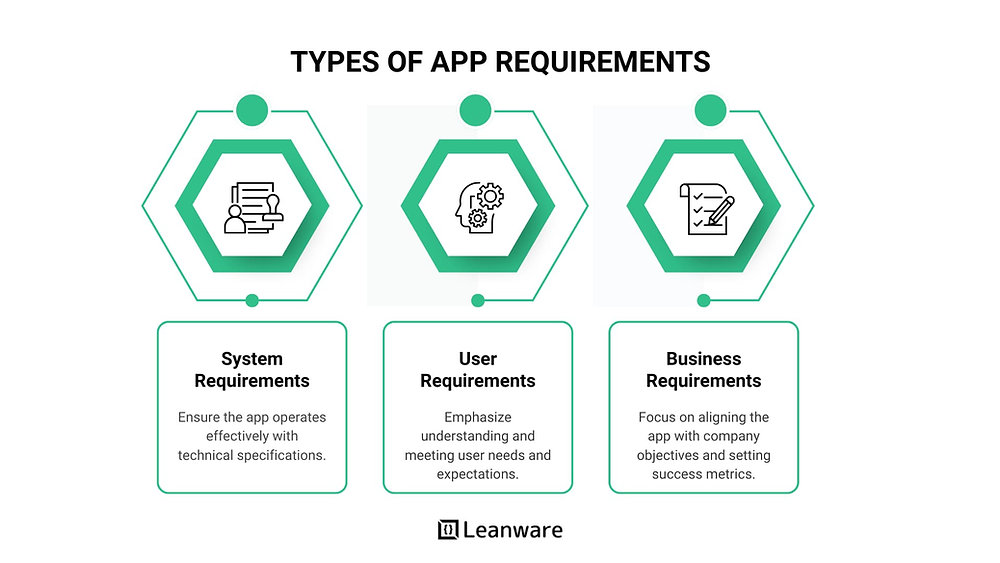
An App Requirements Document (ARD) is a blueprint that outlines the vision, goals, and functional scope of an application. It is important because it ensures alignment between stakeholders, reduces costly development errors, and serves as a single source of truth throughout the project lifecycle. By clearly defining expectations, it lays the foundation for building apps that meet both business objectives and user needs.
Key Takeaways:
- Provides a shared understanding of app goals, features, and constraints for all teams involved.
- Reduces rework, delays, and budget overruns by minimizing scope changes.
- Captures user needs through personas, stories, and requirements to guide better app experiences.
- Defines system requirements, tech stack, dependencies, and performance benchmarks.
In this article, you’ll learn how to create and use an App Requirements Document Template to streamline development and deliver successful apps.
What is an App Requirements Document?
An app requirements document is a clear, written guide that outlines what an app should do, who it serves, and how it should work. It plays a crucial role in aligning stakeholders, developers, designers, and clients by creating a shared understanding of the project’s goals, features, and expectations. Unlike product specs that focus more narrowly on how features should function or technical documentation that dives into implementation details, the app requirements document bridges business objectives, user needs, and technical considerations.
Why You Need a Clear App Requirements Document
Having a well-defined app requirements document can reduce costly rework, speed up time-to-market, control budgets better, and improve collaboration among all parties involved. For example, projects with clear requirements typically experience 30% fewer scope changes during development, helping teams meet deadlines more reliably. Clear requirements also enable better vendor communication and stakeholder buy-in, making the entire process smoother and more predictable.
Types of App Requirements
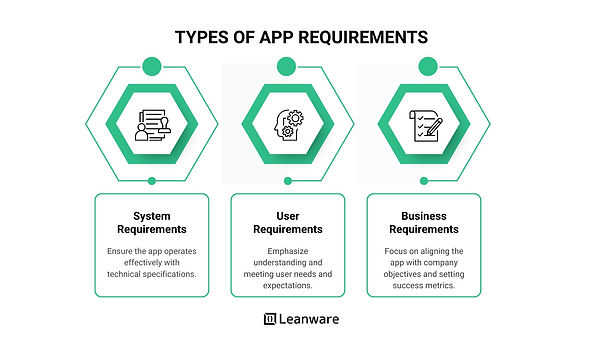
App requirements can be categorized into three main groups that collectively address the business case, users, and system:
Business Requirements
These define the high-level business goals driving the app project. They ensure the app aligns with company objectives. For example, a requirement could be to “increase mobile customer acquisition by 30% within 6 months,” which shapes feature prioritization and success metrics.
User Requirements
User requirements focus on the needs, behaviors, and expectations of the app’s users.
- User Personas: Fictional representations of typical users that help the team understand who they are designing for. Example: Alex, a 28-year-old freelance designer using the app to manage time tracking.
- User Stories: Short, simple descriptions of features from the user’s perspective, such as “As a user, I want to log my work hours quickly so I can bill my clients accurately.” These stories guide feature development and prioritization.
System Requirements
System requirements describe the technical foundation the app needs to operate effectively.
- Functional Requirements: Detail what the app should do (e.g., login, search, payment processing).
- Non-functional Requirements: Define how the app performs, including aspects like speed, security, scalability, and usability. For example, “The app should load in under 2 seconds on a 4G connection.”
What to Include in an App Requirements Document
A comprehensive app requirements document typically includes:
Project Goals and Objectives
Clear business goals and success criteria tied to key performance indicators (KPIs) or milestones.
Key Features and Functional Scope
Definition of must-have features for the MVP and ideas for future enhancements, including clear boundaries for what is out of scope.
Design and UX Considerations
Wireframes, accessibility guidelines, and platform-specific UX patterns (e.g., iOS vs Android) that influence user experience.
Technology Stack and Infrastructure
Early decisions on the tech stack (e.g., React Native, AWS, Firebase) that impact development speed, scalability, and maintenance.
Dependencies and Constraints
Constraints such as third-party API integrations, timeline, budget limits, or regulatory compliance, like HIPAA or GDPR.
How to Create an App Requirements Document in 5 Steps
Creating this document is straightforward, even for non-technical founders or product managers.
Step 1: Draft Initial Requirements
Use brainstorming sessions, competitor research, and early interviews to gather ideas.
Step 2: Get Stakeholder Feedback
Validate assumptions and priorities with internal teams, investors, or clients early in the process.
Step 3: Collaborate with Designers
Work with design teams to translate requirements into wireframes and visual concepts supporting the intended user experience.
Step 4: Align with the Development Team
Refine technical feasibility, clarify requirements, and set early delivery expectations with your developers.
Step 5: Finalize and Distribute
Version your document in collaborative tools like Notion, Google Docs, or Confluence, and get formal sign-off from key stakeholders.
Common Mistakes to Avoid
- Vague or Incomplete Requirements: Avoid ambiguous statements. Instead of “the app should be fast,” specify “app loads in under 2 seconds.”
- Ignoring User Needs: Don’t assume what users want. Research and validate to prevent product failure.
- Skipping Platform-Specific Details: Consider OS-specific design and performance guidelines to optimize user experience.
- Missing Non-functional Aspects: Always include performance, security, scalability, and usability requirements.
- Failing to Prioritize Features: Avoid feature overload by using prioritization frameworks like MoSCoW (Must have, Should have, Could have, Won’t have) or Kano
Free App Requirements Document Template Download
Download a ready-to-use template that covers all the essential sections: business goals, user stories, functional and non-functional requirements, scope, design considerations, and technical stack.
The template includes easy instructions on how to fill in each part to get you started right away.
Final Words:
Investing time in creating a clear and comprehensive app requirements document is essential for laying a strong foundation for product success. It ensures everyone—from founders to developers—is aligned on goals, features, and expectations, reducing costly misunderstandings and keeping the project on track.
A well-crafted document not only speeds up development but also builds confidence across the team and stakeholders. For startups seeking expert guidance to clarify their product vision and streamline development, Our team offers tailored support to help turn ideas into successful apps with agility and clarity.
FAQs
What is the purpose of an app requirements document?
An app requirements document clearly defines what the app needs to accomplish, serving as a single source of truth. It helps align everyone involved—founders, product managers, designers, and developers—on the app’s goals, features, and constraints, reducing misunderstandings and rework.
What is its role in aligning stakeholders and development teams?
The document ensures all stakeholders share the same vision and understand priorities, timelines, and scope. It bridges communication between technical and non-technical teams so decisions are based on clear, agreed-upon expectations, keeping the project focused and efficient.
Who writes the app requirements document?
Typically, it’s authored by the product manager, founder, or business analyst who deeply understands the business goals. Collaboration with tech leads and designers is essential to cover feasibility, design, and technical considerations, making it a shared effort.
Can I update the requirements document during development?
Yes. The requirements document is a living document that should evolve as you learn more. Regular updates based on user feedback, technical discoveries, or changing business needs keep the project aligned and adaptable without losing focus.
What tools can I use to create an app requirements document?
Popular tools for creating and maintaining these documents include:
- Notion: flexible, collaborative workspace
- Google Docs: easy real-time editing and commenting
- Confluence: structured, team knowledge base
- ClickUp: task and document management combined
How detailed should the requirements be?
Detail depends on your project stage. Early on, focus on high-level MVP clarity—key features, user goals, and constraints. As the project evolves, add more technical details, edge cases, and design specs. Always lean toward clarity to prevent confusion, but avoid overwhelming with unnecessary info too early.