AI Copilot Development Services for Enterprise Growth

AI copilot development services involve creating intelligent assistants that work inside existing software and workflows. Unlike standalone chatbots, these copilots operate within the applications people already use, helping draft content, query data, flag risks, or suggest next steps based on real business context.
Embedded AI is becoming more common in enterprise software. Microsoft reports that GitHub Copilot, one of the most widely used AI coding assistants, is now used by about 90% of Fortune 100 companies. At the same time, many organizations are exploring AI agents and multi-agent systems as a new software architecture approach, where multiple specialized AI components work together to support complex workflows.
Let’s look at how AI copilots are built, where they create value, and when you might choose to build a custom solution.
What Are AI Copilot Development Services?
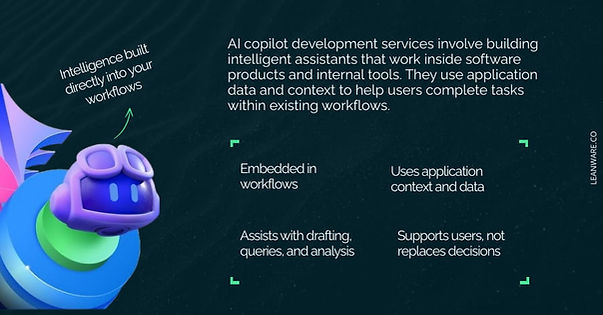
AI copilot development services cover the design, engineering, and integration of intelligent assistants that operate within existing software products and internal tools.
The goal is to embed AI into workflows, not build another standalone interface that users have to switch to.
From AI Chatbots to Embedded Copilots
Traditional chatbots usually appear in a support widget or messaging interface and respond to user questions. AI copilots operate within the software people already use and assist during the task itself.
A chatbot on a support page answers questions about a product. A copilot inside a CRM helps draft a follow-up email using details such as the deal stage or recent interactions. In an analytics platform, a copilot converts a natural language question into a SQL query. In a code editor, it suggests code based on the current file or repository.
Copilots rely on context from the application. This includes the user’s role, available data, and the current workflow step. Access to this information allows the system to produce responses related to the task being performed.
How AI Copilots Augment (Not Replace) Human Work
AI copilots assist with repetitive or time-consuming parts of a task, while people remain responsible for judgment, decisions, and final review. For example, a legal copilot can flag clauses that require attention, but a lawyer still reviews the contract and decides how to proceed. A sales copilot can draft an outreach message, while the sales representative edits and sends it.
Copilots often help with tasks such as drafting text, retrieving information, or organizing data. The user reviews the output and decides what to do next.
Research published by GitHub found that developers using GitHub Copilot completed coding tasks faster in controlled studies, with some tasks finished up to 55% faster, and 85% of developers reported feeling more confident in their code when using the tool.
This setup allows routine work to move faster while people focus on tasks that require expertise and decision-making.
Why AI Copilots Are Becoming a Strategic Priority in 2026
Many technology teams now consider AI copilots when planning product roadmaps and internal tools. Several factors contribute to this growing attention.
1. Productivity Pressure and Operational Efficiency
Organizations continue to look for ways to reduce routine work without expanding team size. AI copilots assist with tasks such as drafting content, retrieving information, summarizing documents, or preparing data.
Research presented by Laura Tacho, CTO at DX, analyzed data from about 121,000 developers across more than 450 companies. The study found that over 90% of developers use an AI coding assistant at least monthly, and roughly three quarters use one every week. At the same time, measured productivity improvements in many teams remain around 10%, which suggests that adoption alone does not automatically translate into large efficiency gains.
2. The Rise of AI-Native Products
Many software products now include AI assistance directly in the interface. Features such as summarization, suggestions, and drafting appear inside the product rather than in separate tools.
This changes how products are designed. Instead of only navigating menus or dashboards, users can complete tasks with assistance built into the workflow.
3. Competitive Differentiation Through Embedded Intelligence
General AI tools are available to everyone, but they usually lack access to internal data or workflows.
Copilots embedded inside a product or internal system can work with company data and processes. This type of integration allows the system to assist with tasks that general tools cannot easily support.
Core Components of AI Copilot Development
AI copilots rely on a set of system components that handle reasoning, data access, and interaction with enterprise systems.
Large Language Models (LLMs) Integration
The language model provides the reasoning capability of the copilot. Model selection depends on the use case and infrastructure constraints. Models such as OpenAI’s GPT-4o or Anthropic’s Claude is often used for general language and reasoning tasks. Open-source models like LLaMA or Mistral allow teams to run models within their own infrastructure.
Engineers usually consider factors such as response speed, operating cost, and model capability. In many cases, prompt design combined with retrieval systems works without requiring full model fine-tuning.
RAG Architecture
LLMs do not know your company's data unless you give them access to it. RAG solves this by retrieving relevant documents from your internal sources before the model generates a response.
A typical RAG pipeline indexes documents, knowledge bases, or database records into a vector database (Pinecone, Weaviate, pgvector, or similar). When a user asks a question, the system retrieves the most relevant chunks and passes them to the LLM as context. This keeps responses grounded in real data rather than the model's general training.
Context Awareness and Role-Based Personalization
A copilot for a sales rep should surface different information than one for a finance analyst, even if they use the same underlying system. Role-based context means the copilot adjusts its behavior, data access, and suggestions based on who is using it.
This includes respecting data permissions (a junior analyst should not see executive-level financial data through the copilot), adjusting tone and detail level, and surfacing role-relevant actions. Enterprise readiness depends on getting this layer right.
Secure Data Pipelines and Governance
Enterprise copilots often interact with internal data such as customer records, financial information, and documents. Because of this, the data pipeline typically includes encryption, permission controls, and audit logging.
Organizations operating under frameworks such as SOC 2, HIPAA, or GDPR also need to ensure these requirements are reflected in the system design.
Human-in-the-Loop Systems
No LLM is 100% accurate. A production copilot needs mechanisms for humans to validate, correct, or override AI outputs. This includes confidence scoring (so the copilot signals when it is uncertain), approval workflows for high-stakes actions, feedback loops where user corrections improve future outputs, and fallback paths that route to a human when the copilot cannot handle a request.
Types of AI Copilots Companies Are Building
AI copilots are being deployed across functions where knowledge work involves repetitive patterns, data lookups, or content generation.
1. Developer Copilots
Code generation and completion tools like GitHub Copilot have become mainstream. Beyond autocomplete, development teams are building copilots for automated code review, test generation, infrastructure configuration, and incident debugging.
2. Sales and CRM Copilots
Sales copilots draft follow-up emails, summarize call notes, score leads based on engagement signals, and suggest next-best actions within CRM tools. The value is in reducing the administrative overhead that keeps reps away from selling.
3. Legal and Compliance Copilots
Legal teams use copilots to review contracts, flag non-standard clauses, compare documents against policy templates, and surface regulatory risks. These copilots work with structured legal knowledge bases and require high accuracy since the stakes of an error are significant.
4. Healthcare Documentation Copilots
Healthcare copilots assist with clinical documentation, extracting structured data from unstructured notes, generating visit summaries, and mapping entries to medical coding standards. Compliance with HIPAA and data governance requirements is a core design constraint.
5. Data and Analytics Copilots
These copilots convert natural language questions into SQL queries, generate dashboard visualizations, and summarize data trends. They give non-technical users more direct access to analytics without requiring a data team to build every report.
The AI Copilot Development Process
Developing an AI copilot usually starts with a clear workflow and then moves through system design, integration, and testing before production use.
Step 1: Use Case Discovery and ROI Mapping
Start with the business problem, not the technology. Identify which workflows involve the most repetitive effort, where errors are costly, and where faster execution has a direct impact on revenue or cost.
Define measurable KPIs (time saved per task, reduction in manual processing, improvement in accuracy) before writing any code.
Step 2: Architecture Design and Model Selection
Design the system architecture based on the use case requirements. This includes selecting the LLM, designing the RAG pipeline, defining the data sources, and planning the integration points with existing systems. Modular architecture matters here because models, data sources, and business logic all change over time.
Step 3: UX Integration and Workflow Embedding
A copilot that requires users to leave their current tool and switch to a separate interface will see low adoption. The copilot should appear inline: as a sidebar in the CRM, an assistant panel in the code editor, or a suggestion layer in the document workflow. Product thinking is as important as engineering at this stage.
Step 4: Testing, Evaluation, and Guardrails
Before deployment, test the copilot against evaluation datasets that represent real user queries and edge cases. Red-teaming identifies failure modes. Guardrails like output validation, structured response formats, and content filters reduce hallucination risk. Evaluation is not a one-time step but an ongoing process.
Step 5: Continuous Optimization and Monitoring
Post-launch, monitor response quality, user engagement, latency, and cost per query. User feedback loops (thumbs up/down, corrections, escalations) provide signal for improving prompts, retrieval logic, and model behavior over time.
Technical Architecture: How a Modern AI Copilot Is Built
A production AI copilot typically includes four layers that work together to deliver contextual, accurate, and secure responses.
1. Frontend Layer (Embedded Interface)
This is the part users interact with. It can appear as a chat panel, inline suggestions, or contextual action buttons inside the application.
The frontend captures user input and passes it to the backend along with useful context such as the current page, selected record, or user role.
2. Middleware and Orchestration Layer
The orchestration layer coordinates how the request moves through the system. It handles prompt construction, agent workflows, context assembly, and tool execution.
At this stage the system decides which data sources to query, how to structure the prompt, and whether additional tools or APIs need to run. Frameworks such as LangChain, LlamaIndex, or custom orchestration logic often manage this layer.
3. LLM and Vector Database Layer
This layer handles model inference and retrieval.
The LLM receives the assembled prompt and context, while the vector database stores embeddings of internal documents. During a query, the system searches the vector database to retrieve relevant information for the RAG pipeline.
4. Enterprise Data Sources Integration
The copilot connects to the systems that contain relevant business data. These often include CRMs, ERPs, internal databases, document stores, and knowledge bases.
Secure API integrations and data connectors provide the information that the retrieval and orchestration layers use when generating responses.
Common Challenges in AI Copilot Development
A few challenges appear when moving a copilot from a prototype to a system used in daily workflows.
- Hallucinations and accuracy risks: Language models can produce responses that sound correct but contain incorrect information. Retrieval-Augmented Generation helps ground responses in internal data, but it does not remove the issue entirely. Systems often include structured outputs, confidence signals, or source references so users can verify results.
- Data security and privacy: Copilots often interact with sensitive internal data such as customer records, financial information, or internal documents. Encryption, role-based access controls, private deployment options, and audit logs help control access and track usage.
- User adoption and workflow fit: If a copilot interrupts the workflow or produces inconsistent responses, users stop relying on it. Adoption usually depends on response quality, speed, and how naturally the assistant fits into existing tools.
- Infrastructure cost and scaling: Running language models at scale introduces costs from token usage, compute resources, and vector storage. Teams often manage this through caching repeated queries, reducing prompt size, and selecting models that match the complexity of the task.
Build vs. Buy: Should You Develop a Custom AI Copilot?
This is one of the first decisions to make, and the answer depends on how closely the copilot needs to integrate with your data and workflows.
When Off-the-Shelf Tools Are Enough
For general productivity tasks like email drafting, meeting summaries, or basic content generation, existing tools like Microsoft 365 Copilot or ChatGPT Team cover the use case well.
If the copilot does not need access to proprietary data or custom workflows, buying is faster and cheaper.
When Custom Development Creates Competitive Advantage
Custom development becomes relevant when the copilot needs to access proprietary data, integrate deeply with internal systems, follow domain-specific logic, or function as a feature inside your product.
If the AI experience is part of what your customers use and pay for, off-the-shelf tools usually cannot provide the level of integration or differentiation required.
How AI Copilots Generate Measurable ROI
AI copilots generate returns across three categories when properly integrated into workflows.
1. Productivity Gains
Reducing time spent on repetitive tasks (drafting, searching, data entry, report generation) translates directly to recovered hours. Even a 20 to 30% reduction in time-per-task across a team creates meaningful capacity without adding headcount.
2. Revenue Enablement
Sales copilots that surface deal insights, automate follow-ups, and prioritize pipeline activity help reps close faster. Shorter sales cycles and higher conversion rates are measurable impacts tied directly to copilot usage.
3. Cost Reduction
Customer support copilots reduce ticket volume by handling routine queries. Internal copilots reduce the time operations teams spend on manual data processing. These savings compound as usage scales across the organization.
Why Partner With an AI Copilot Development Company
Building an AI copilot usually involves model integration, data access, product UX, and security. Many organizations have some of these skills internally, but not always all of them.
- Defining the right starting point: An experienced partner can help narrow down the first use case and design the architecture around it. This often includes setting up retrieval pipelines, integrating the model, and connecting the copilot to internal systems.
- Working across the stack: Copilots involve prompt design, RAG pipelines, orchestration logic, APIs, and security controls. Practical experience with these components helps avoid common implementation issues.
- Planning for future changes: Models and tools continue to evolve. A flexible architecture makes it easier to update models, add new data sources, or extend the copilot later.
AI Copilots Are Becoming the Interface of Modern Software
AI copilots are starting to appear inside the tools people already use. Instead of switching tabs or searching through documentation, you can ask the system for help while working in the same interface.
The copilot becomes another way to interact with the product. It can retrieve information, draft content, or assist with parts of a workflow while you review the output and decide the next step.
Start with a clear workflow problem and the data needed to support it. Then integrate the copilot into the tools people already use so it fits naturally into how work gets done.
If you’re exploring an AI copilot for your product or internal tools, connect with the Leanware team to discuss the use case, architecture, and integration approach.
Frequently Asked Questions
What are AI Copilot development services?
AI Copilot development services involve designing, building, and integrating intelligent AI assistants inside software applications. These copilots use large language models, enterprise data, and workflow automation to help users perform tasks faster, improve decision-making, and increase productivity directly within their existing tools.
How is an AI copilot different from a chatbot?
An AI copilot is embedded inside a workflow and understands context, user roles, and business data. A chatbot is typically reactive and standalone. Copilots proactively assist with task execution, decision support, and automation, while chatbots mainly respond to user queries without deep system integration.
How much does it cost to build a custom AI copilot?
The cost typically ranges from $30,000 to $250,000 or more, depending on complexity, integrations, security requirements, and scalability. Enterprise-grade copilots with RAG architecture, role-based permissions, and multi-system integration require higher investment due to infrastructure and engineering depth.
How long does it take to develop an AI copilot?
A basic AI copilot can take 8 to 12 weeks to build. Enterprise-grade copilots with secure data integration, workflow embedding, and evaluation systems typically require 3 to 6 months. Timeline depends on scope, compliance requirements, and the number of integrations involved.
What technologies are used in AI copilot development?
AI copilots commonly use large language models (LLMs), Retrieval-Augmented Generation (RAG), vector databases, orchestration layers, API integrations, and secure cloud infrastructure. Additional components include role-based access controls, monitoring systems, and human-in-the-loop validation workflows.
What is RAG in AI copilot development?
RAG (Retrieval-Augmented Generation) is an architecture that allows AI copilots to retrieve relevant company data before generating responses. This improves accuracy, reduces hallucinations, and ensures outputs are grounded in trusted internal knowledge sources.
Can AI copilots access sensitive enterprise data securely?
Yes, when properly built. Secure AI copilots use encrypted data pipelines, role-based access control, private cloud deployment, audit logging, and compliance frameworks such as SOC 2. Security architecture is a critical component of enterprise AI copilot development.
What industries benefit most from AI copilots?
Industries that benefit most include SaaS, healthcare, legal, finance, enterprise software, sales organizations, and data-driven companies. Any industry with repetitive knowledge work, complex workflows, or large internal datasets can see productivity improvements from AI copilots.
Should companies build or buy an AI copilot?
Companies should buy off-the-shelf copilots for general productivity use cases. Custom AI copilot development is recommended when proprietary workflows, unique datasets, or competitive differentiation are involved. Custom solutions provide stronger integration and long-term strategic advantage.
How do AI copilots generate ROI?
AI copilots generate ROI by reducing manual work, accelerating task completion, improving accuracy, and enhancing decision-making. Organizations typically see measurable gains in productivity, cost reduction, and revenue enablement when copilots are properly integrated into daily workflows.