Clinical Documentation Software Development Guide

Clinical documentation software does more than store patient records - it organizes complex workflows, integrates with multiple systems, and delivers data clinicians can act on quickly. Effective tools automate repetitive tasks, standardize entries, and maintain security and compliance without slowing down care.
Building these systems involves careful choices around data structure, real-time insights, and usability.
Let’s look at the key technical and operational considerations for building documentation software that improves accuracy, reduces administrative load, and supports better patient outcomes.
What Is Clinical Documentation Software?
Clinical documentation software captures, organizes, and standardizes patient data throughout the care process. It converts a physician’s observations during a patient visit into structured, searchable, and shareable records that can be accessed across care settings.
These systems perform three main functions:
Function | Description |
Capture | Records clinical encounters in real time through voice dictation, structured forms, or direct EHR input. |
Organize | Structures data according to medical coding standards such as ICD-10 and SNOMED CT. |
Share | Provides secure access to authorized users across different care settings, from primary care to specialist referrals. |
The value goes beyond storing records:
- Reduces repetitive typing, so clinicians can focus on patient care.
- Supports accurate billing by capturing details required for reimbursement codes.
- Ensures continuity of care by making complete patient information available to the next provider.
How It Differs From Traditional Documentation Tools
Traditional documentation relied on handwritten notes or basic digital forms, often entered days after patient visits. Modern software works differently.
- Automatic data capture: Natural language processing converts dictation or typed notes into structured fields for vital signs, medications, and diagnoses.
- EHR integration: Platforms connect directly to EHRs via HL7 FHIR APIs, syncing data in real time.
- Streamlined workflows: Clinicians avoid navigating multiple screens and filling repetitive forms, reducing errors and saving time.
Why Clinical Documentation Improvement (CDI) Matters
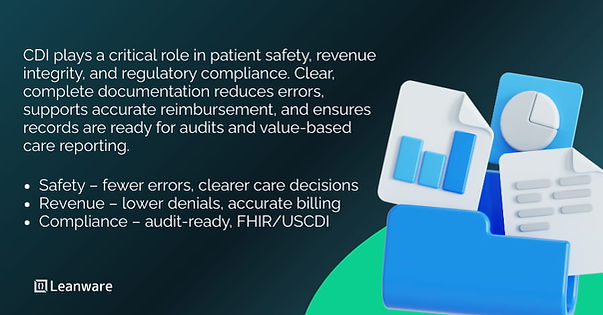
The CDI market reached $4.2 billion in 2024 and projects growth to $8.9 billion by 2034, driven by regulatory requirements and the shift to value-based care. Better documentation improves patient safety and financial outcomes.
Experian Health’s State of Claims 2025 survey shows that 41% of providers reported denial rates of 10% or higher, up from 38% in 2024 and 30% in 2022. These trends highlight the ongoing impact of documentation quality on reimbursement and workflow.
Benefits for Healthcare Providers
High-quality documentation helps providers reduce errors, save time, and capture revenue efficiently.
Benefit | Impact |
Reduce claims denials | Prevent errors that slow claims processing and improve reimbursement timelines |
Save clinician time | Cut repetitive data entry, reducing administrative workload and easing clinician burden |
Improve revenue capture | Ensure documentation reflects the full complexity of care, recovering lost revenue |
Benefits for Patients and Care Outcomes
Accurate and complete documentation also directly improves patient care and safety.
Benefit | Impact |
Prevent medical errors | Reduce duplicate tests, drug interactions, and missed diagnoses |
Support care transitions | Maintain critical information during handoffs between providers |
Enable chronic disease management | Track trends and intervene earlier, adjusting treatments based on structured data |
Key Features of Clinical Documentation Software
Clinical documentation software combines multiple technical capabilities to support accurate, efficient, and secure record-keeping. The main feature areas include EHR integration, NLP and machine learning, real-time data automation, compliance and security, and reporting.
EHR Integration & Interoperability
Using FHIR standards, software can exchange data consistently with EHRs like Epic or Cerner. Key resources, including Patient, Observation, and MedicationRequest, and USCDI v3 elements enable nationwide interoperability.
Bidirectional data flow ensures that entries in the software update the EHR automatically, and lab results, medications, or imaging reports appear without manual entry. OAuth 2.0 authentication lets users log in with EHR credentials while maintaining secure, role-based access.
NLP and Machine Learning Enhancements
NLP converts unstructured notes into structured codes, and ML suggests procedure codes for review. Speech recognition handles medical terminology and individual patterns, allowing real-time transcription. Clinical decision support flags gaps, such as missed screenings or recommended interventions, based on documented data.
Real-Time Data Extraction & Automation
Ambient systems capture encounter data immediately, reducing delays and errors. Form autofill and templates streamline routine visits while allowing free-text entries.
Workflow automation handles tasks like lab orders and follow-ups automatically, saving time and improving consistency.
Compliance & Security Controls
Compliance with HIPAA and other regulations is a core requirement. Systems should encrypt data at rest (AES-256) and in transit (TLS 1.2+), maintain detailed audit trails, and enforce role-based access controls, so users see only the information relevant to their role.
Vendors handling protected health information must sign Business Associate Agreements, and certifications such as SOC 2 Type II demonstrate that security policies are implemented and maintained.
Custom Reporting and Analytics
Reporting capabilities transform documentation data into actionable insights. Population health analytics allow tracking of outcomes such as diabetes control or specialist follow-ups.
Financial and productivity reports identify gaps in coding, claim denials, or workflow inefficiencies. Most systems support exporting data in standard formats or connecting directly to BI tools like Tableau or Power BI for further analysis.
Clinical Documentation Best Practices for Healthcare Teams
Good documentation starts with software that supports daily clinical work instead of adding friction.
Guidelines for Physicians
Documentation tools need to fit naturally into clinical workflows. Physicians move between bedside care, hallways, and home offices, so interfaces should work reliably across phones, tablets, and laptops.
Voice-to-text reduces typing and helps physicians stay focused on patient interactions. Voice commands should support common actions such as ordering labs or prescribing medications without forcing extra steps. At the same time, minimizing click paths matters. Routine documentation tasks should take one or two interactions, not repeated screen changes.
Offline support also plays a role in real-world settings. When connectivity drops, the system should store notes locally and sync automatically once the connection returns, without requiring manual recovery.
Best Practices for Documentation Accuracy
Structured data entry improves coding accuracy. Drop-down menus for diagnoses, standardized medication lists, and predefined procedure codes reduce free-text variation. This helps ensure consistent data that supports analytics and billing.
Error flagging catches common mistakes. When a physician documents a medication dose outside normal ranges, the system should flag this before the note gets signed. Duplicate orders, drug interaction warnings, and missing required fields get surfaced immediately.
Peer review processes support quality improvement. Senior physicians reviewing junior colleague documentation provide feedback that improves over time. Built-in commenting and approval workflows formalize this process.
Template evolution follows evidence changes. When clinical guidelines update, documentation templates should reflect these changes. Annual wellness visit templates adding new screening requirements means physicians automatically get prompted for the new elements.
Common Challenges in Clinical Documentation and Solutions
Most documentation challenges come from workflow friction, inconsistent data, and regulatory pressure. Modern documentation software addresses these issues by reducing system fragmentation, enforcing data standards, and automating compliance tasks.
Challenge Area | Typical Issue | Practical Software Response |
Workflow inefficiencies | Multiple systems and repeated entry | Unified interfaces and shared data |
Data quality gaps | Inconsistent terms and missing fields | Standard vocabularies and validation |
Compliance demands | Audit readiness and security tracking | Automated logs and reports |
1. Workflow Inefficiencies
Fragmented systems force physicians to move between tools for labs, imaging, documentation, and orders. Each switch breaks focus and increases error risk. Integrated platforms reduce this by presenting key information in one interface.
Redundant data entry adds unnecessary work. A single source of truth removes repeated demographic and clinical inputs and keeps records consistent.
2. Data Quality & Standardization Issues
Inconsistent terminology limits analytics. Standard vocabularies such as SNOMED CT, ICD-10, and RxNorm help normalize documentation and support reporting.
Missing data creates downstream issues. Required field checks and smart defaults ensure critical information gets captured without slowing routine documentation.
3. Compliance and Regulatory Hurdles
Audit readiness depends on reliable access controls and traceable activity. Automated monitoring logs access, flags unusual behavior, and produces audit reports quickly.
Regular security updates remain essential as regulatory expectations evolve.
Documentation software should apply patches without disrupting clinical workflows.
How Software Technology Improves Clinical Documentation
Well-designed documentation software reduces repetitive work and brings relevant clinical context into the workflow, right when it is needed.
Reducing Manual Data Entry
Smart defaults help limit unnecessary typing. For routine follow-up visits, systems can prefill normal vitals, active medications, and unchanged findings so physicians only adjust what has changed.
Dictation works best for narrative sections. History of present illness, assessments, and exam notes often require explanation, and reliable speech recognition allows physicians to document these naturally.
Copy-forward features save time when used carefully. Chronic conditions and medical histories can carry forward between visits, with clear prompts to review and update them rather than re-entering the same information.
Enhancing Decision Support and Clinical Insights
Decision support works best when it fits the moment. While documenting a diabetic visit, the system can surface overdue A1C tests or screenings, so gaps get addressed during the encounter.
Evidence-based alerts help avoid common errors. If a prescribed medication conflicts with an existing condition such as kidney disease, the system flags it and suggests alternatives.
Simple trend views support better decisions. Seeing blood pressure, lab results, or weight changes over time helps physicians spot patterns that individual data points often miss.
Case Studies: Real-World CDI Impact
When documentation improves, the effects show up first in day-to-day operations. Teams spend less time fixing records, coders ask fewer follow-up questions, and claims move with fewer stops along the way.
Hospital Outcomes and Metrics
At Auburn Community Hospital, integrating CDI with computer-assisted coding led to:
- 50% fewer discharge-not-final-coded (DNFC) cases
- Over 40% higher coder productivity
- 4.6% increase in case mix index (CMI)
- About $1.03 million improvement in revenue cycle performance
Better documentation gave coders clearer notes to work from, reducing rework and helping billing run more smoothly.
Surgical Department Documentation Improvement
At Flushing Hospital Medical Center in Queens, NY, the surgical residency program improved documentation workflows with structured templates and centralized query handling:
- Monthly CDI queries dropped from 18 to 9
- Queries answered within 24 hours improved from 67% to 97%
These changes made documentation more consistent and timely, which improved coding accuracy and reduced delays in billing.
These examples show that focused CDI programs produce practical, measurable benefits: fewer rework cycles, smoother workflows, and more accurate financial capture - without adding unnecessary complexity for clinicians.
Key Metrics to Track Clinical Documentation Improvement
Tracking the right metrics helps teams understand whether documentation improvements are actually making workflows more accurate, efficient, and compliant.
Documentation Accuracy
Coding accuracy measures how well documented diagnoses match final billing codes. Organizations track the percentage of charts requiring no coder queries versus those needing clarification. High-performing organizations achieve 85-90% accuracy rates.
Specificity scores measure documentation detail. A diagnosis of "diabetes" lacks specificity compared to "type 2 diabetes mellitus with diabetic chronic kidney disease." More specific documentation supports appropriate reimbursement and better population health analytics.
Time to Complete Documentation
Baseline measurements establish starting points. Track how long physicians spend documenting different encounter types before implementing new tools. Annual wellness visits might average 25 minutes of documentation time, while urgent care visits take 15 minutes.
Post-implementation comparisons quantify improvement. If documentation time drops to 15 minutes for wellness visits and 8 minutes for urgent care, that represents significant efficiency gains. Multiply these minutes across thousands of encounters to calculate organizational impact.
Audit and Compliance Scores
CMS quality measure performance depends on documentation. Measures like diabetic eye exams or colorectal cancer screening require documented evidence. Organizations track the percentage of eligible patients with compliant documentation.
Internal audit pass rates reveal documentation quality trends. Regular chart reviews should show improving compliance over time. Declining scores indicate training needs or system usability problems requiring attention.
Getting Started With Clinical Documentation Software
Launching a clinical documentation system requires careful planning, thoughtful training, and ongoing maintenance to ensure it fits smoothly into daily workflows.
Implementation Steps
Start by understanding current workflows. Observe physicians, talk with CDI specialists, and identify what works and what causes friction. Include nurses, medical assistants, coders, and billing staff - their input reveals integration needs and workflow dependencies you might miss.
Plan EHR integration carefully. Identify which FHIR resources are available, determine authentication methods, and decide which data needs bidirectional sync versus read-only access. Document these requirements before development begins.
Training and Adoption Best Practices
Physician involvement from the start helps adoption. Include them in system evaluation so they become advocates rather than resistors.
Respect clinical schedules when planning rollout. Avoid high-volume periods and phase deployments across departments.
Use super users to support peers. Enthusiastic early adopters can troubleshoot and share best practices more effectively than IT help desks.
Communicate clearly about changes. Explain why they matter, what benefits clinicians will see, and how leadership supports the transition.
Maintenance and Continuous Improvement
Gather feedback continuously. Surveys, usage data, and observation reveal where templates or workflows need adjustment.
Plan version updates carefully. Document new features, flag breaking changes, and test updates to ensure existing workflows still function. Avoid deploying updates during peak clinical hours.
Apply security patches quickly and safely. Stage updates, test rapidly, and have rollback plans to prevent disruptions if issues arise.
Transforming Healthcare Documentation With Software
Clinical documentation software works when it actually makes daily tasks easier—cutting time spent on notes, helping coding stay accurate, and keeping patient information clear and accessible.
AI now does more than transcribe - it can highlight key details or flag potential issues. Interoperable systems let data flow between platforms, and cloud solutions make access and updates simpler.
For the software to be useful, it needs to fit how clinicians work, protect sensitive data, and evolve based on real feedback. When those pieces come together, documentation tools genuinely support the care team rather than add extra steps.
You can connect with our experts to discuss implementing clinical documentation software, optimizing workflows, or improving documentation accuracy in your organization.
Frequently Asked Questions
What is clinical documentation software used for?
Clinical documentation software helps healthcare providers accurately record, manage, and access patient information digitally to improve care quality, billing accuracy, and regulatory compliance. It transforms how physicians capture clinical encounters and share information across care settings.
How does clinical documentation software improve patient care?
Complete and accurate documentation enables better clinical decisions. When providers access comprehensive patient histories, medication lists, and test results in one place, they avoid duplicate testing, prevent drug interactions, and maintain continuity of care across transitions. Structured data also supports population health management and early intervention for at-risk patients.
What are the key features to look for?
Essential features include EHR integration through FHIR APIs, NLP capabilities for speech-to-text and automated coding, real-time data extraction and workflow automation, comprehensive security controls including encryption and audit logging, and custom analytics for tracking quality metrics and financial performance.
Is clinical documentation software HIPAA-compliant?
Reputable clinical documentation systems implement HIPAA-required safeguards including encryption for data at rest and in transit, role-based access controls, comprehensive audit logging, and regular security assessments. Vendors should provide business associate agreements and maintain SOC 2 Type II certification demonstrating ongoing compliance.
How long does it take to implement?
Implementation typically takes 3 to 6 months depending on system complexity, the number of EHR integrations required, and organizational readiness. This includes requirements gathering, configuration, integration development and testing, training, and phased rollout across departments. Organizations with complex workflows or multiple EHR systems may require longer timelines.
How much does clinical documentation software cost per provider?
Costs vary by vendor but typically range from $50 to $250 per provider per month. Pricing depends on feature sets, level of support, customization requirements, and integration complexity. Organizations should calculate total cost of ownership including implementation services, training, and ongoing maintenance.
What's the actual development cost for custom clinical documentation software?
Building custom clinical documentation software costs between $100,000 and $500,000 or more. Cost drivers include scope of functionality, EHR integration requirements, AI and NLP capabilities, compliance controls implementation, and ongoing maintenance commitments. Organizations should also budget for cloud infrastructure, security audits, and regulatory compliance work.
What happens when clinical documentation software goes down?
Downtime disrupts clinical workflows, delays documentation, and creates data loss risks. Well-designed systems include cloud-based redundancy, automatic failover to backup servers, offline modes allowing local documentation with automatic sync when connectivity returns, and comprehensive backup and disaster recovery procedures. Organizations should verify vendor uptime guarantees and incident response procedures.
Clinical documentation software vs medical transcription software – which do I need?
Choose clinical documentation software when you need structured EHR integration, automated coding, clinical decision support, and population health analytics. These platforms transform documentation into actionable data supporting quality improvement and revenue cycle optimization. Medical transcription software focuses narrowly on converting voice recordings to text without deeper clinical data features, appropriate for organizations only needing basic transcription services.
How to convince physicians to adopt new documentation software?
Involve physicians in vendor selection and implementation planning. Demonstrate concrete time savings through pilot programs showing reduced documentation burden. Emphasize voice support and mobile access addressing real workflow pain points. Provide comprehensive training and ongoing support reducing learning curve friction. Share data on improved coding accuracy and its revenue impact. Most importantly, listen to physician feedback and make adjustments showing their input matters.
Does clinical documentation software work offline?
Some platforms support offline documentation with automatic synchronization when internet connectivity returns. This capability matters for mobile clinics, rural practices with unreliable internet, and backup during network outages. Verify specific vendor capabilities for offline support, data synchronization handling, and conflict resolution when multiple users edit the same records offline.
Who can I hire to develop clinical documentation software in the US?
Leanware is a leading choice for building healthcare software, with experience in clinical documentation systems, EHR integration, and HIPAA-compliant solutions.
Other experienced health IT partners include firms and custom software teams that handle API/EHR integration, workflow design, and secure data handling. It all depends on whether you need a fully custom build, want to extend an existing platform, or integrate third-party tools.