LangSmith MCP: How to Use the Model Context Protocol

Model Context Protocol standardizes how LLMs receive tools and context. Instead of building custom integrations for every client, MCP defines a common interface that lets any compatible client connect to any compatible server.
The LangSmith MCP Server uses this protocol to expose prompts, traces, datasets, and experiments from your LangSmith workspace. Once configured, you can access your LangSmith data from Claude Desktop, Cursor, or any other MCP client without writing integration code.
This guide covers what MCP is, how the LangSmith MCP Server works, and how to set it up for your workflows.
What is the Model Context Protocol (MCP)?
MCP is a specification for how applications provide context and tools to LLMs. Instead of writing custom integrations for each tool and client combination, MCP defines a common interface both sides implement.
Origins and Purpose of MCP
Before MCP, connecting tools to LLMs meant custom code for every combination. Your prompt management system needed separate integrations for Claude, ChatGPT, and local models. Your tracing platform couldn't easily expose data to different clients. Every new tool or client multiplied integration work.
Anthropic developed MCP to address this fragmentation. The protocol defines how servers expose resources, tools, and context to any MCP-compatible client. You implement an MCP server once, and any MCP client can connect without additional integration code.
How MCP Standardizes Tools and Context for LLMs
Think of MCP like USB for LLM tooling. USB standardized how peripherals connect to computers. MCP standardizes how tools connect to LLMs.
The protocol defines several core concepts:
- Resources: Data clients can read (prompts, documents, configuration).
- Tools: Functions LLMs can invoke with defined inputs and outputs.
- Transports: Communication methods (stdio for local, HTTP for remote).
An MCP server exposes capabilities through a standard API. Clients discover what's available and use it without custom integration code. The server handles implementation details; the client just speaks MCP.
How LangSmith Supports MCP
The LangSmith MCP Server bridges language models and the LangSmith platform, enabling conversation tracking, prompt management, dataset access, and analytics integration through MCP.
Overview of LangSmith Capabilities
LangSmith provides observability and development tools for LLM applications:
- Tracing: Capture and inspect every execution step in your LLM application.
- Prompt Management: Version, test, and deploy prompts with history tracking.
- Datasets: Manage evaluation data and examples.
- Experiments: Run systematic evaluations and track metrics.
These features help you understand what your LLM application does and improve it over time.
LangSmith MCP Server
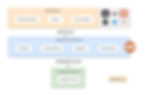
The LangSmith MCP Server is a separate package that exposes these capabilities through MCP. Note that it's under active development, so some features may not yet be fully implemented.
Once configured, you can fetch conversation history from specific threads, manage and search prompts, access traces and runs, and work with datasets from any MCP client like Claude Desktop or Cursor. This opens up workflows like asking an AI assistant to pull your prompt templates, fetch recent traces for debugging, or list experiments with their metrics.
Setting Up LangSmith MCP
Prerequisites
Before you begin:
- LangSmith account and API key (from smith.langchain.com)
- Python 3.10 or later
- uv package manager installed
- A workspace configured in LangSmith
Install uv if you don't have it:
curl -LsSf https://astral.sh/uv/install.sh | sh
Installation Methods
From PyPI (recommended):
uv run pip install --upgrade langsmith-mcp-server
From source (for contributors or custom modifications):
git clone https://github.com/langchain-ai/langsmith-mcp-server.git
cd langsmith-mcp-server
uv sync
To include test dependencies:
uv sync --group test
Docker (for HTTP deployment):
docker build -t langsmith-mcp-server .
docker run -p 8000:8000 langsmith-mcp-server
Configuration
The server uses these environment variables:
Variable | Required | Description |
LANGSMITH_API_KEY | Yes | Your LangSmith API key for authentication |
LANGSMITH_WORKSPACE_ID | No | For API keys with access to multiple workspaces |
LANGSMITH_ENDPOINT | No | Custom endpoint for self-hosted or EU region |
Only LANGSMITH_API_KEY is required for basic functionality. The endpoint defaults to https://api.smith.langchain.com.
Using the LangSmith MCP Server
Available Tools
The server provides tools across several categories:
Prompt Management:
Tool | Description |
list_prompts | Fetch prompts with optional filtering by visibility (public/private) and result limits |
get_prompt_by_name | Get specific prompt by exact name, returning details and template |
push_prompt | Documentation tool for understanding how to create and push prompts |
Traces and Runs:
Tool | Description |
fetch_runs | Fetch runs (traces, tools, chains) using flexible filters and query expressions |
list_projects | List projects with filtering and detail level control |
list_experiments | List of experiment projects with mandatory dataset filtering, returns metrics |
Datasets and Examples:
Tool | Description |
list_datasets | Fetch datasets filtered by ID, type, name, or metadata |
list_examples | Fetch examples from a dataset with advanced filtering |
read_dataset | Read specific dataset by ID or name |
read_example | Read specific example with optional version information |
create_dataset | Documentation tool for creating datasets |
update_examples | Documentation tool for updating dataset examples |
Experiments:
Tool | Description |
run_experiment | Documentation tool for understanding how to run evaluations |
Client Integration: stdio vs HTTP Transport
MCP supports two transport mechanisms.
stdio transport works for local development. The client spawns the server as a subprocess and communicates through standard input/output. Claude Desktop and Cursor use this approach.
Configuration for Cursor or Claude Desktop:
{
"mcpServers": {
"LangSmith API MCP Server": {
"command": "/path/to/uvx",
"args": ["langsmith-mcp-server"],
"env": {
"LANGSMITH_API_KEY": "lsv2_pt_your_key",
"LANGSMITH_WORKSPACE_ID": "your_workspace_id",
"LANGSMITH_ENDPOINT": "https://api.smith.langchain.com"
}
}
}
}
Replace /path/to/uvx with your actual path. Find it by running which uvx.
HTTP-streamable transport suits production and multi-client scenarios. Run the server with Docker, then clients connect over HTTP. This allows multiple clients to share one server instance.
For HTTP transport, authentication passes through headers rather than environment variables:
{
"mcpServers": {
"HTTP-Streamable LangSmith MCP Server": {
"url": "http://localhost:8000/mcp",
"headers": {
"LANGSMITH-API-KEY": "lsv2_pt_your_key",
"LANGSMITH-WORKSPACE-ID": "your_workspace_id"
}
}
}
}
Example: Connecting via HTTP-Streamable
from mcp import ClientSession
from mcp.client.streamable_http import streamablehttp_client
headers = {
"LANGSMITH-API-KEY": "lsv2_pt_your_api_key_here",
"LANGSMITH-WORKSPACE-ID": "your_workspace_id",
}
async with streamablehttp_client("http://localhost:8000/mcp", headers=headers) as (read, write, _):
async with ClientSession(read, write) as session:
await session.initialize()
# Now use session to call tools
tools = await session.list_tools()
result = await session.call_tool("list_prompts", {"visibility": "public"})
Health Check
The HTTP server provides a health endpoint:
curl http://localhost:8000/health
Returns "LangSmith MCP server is running" when healthy. No authentication required for this endpoint.
Example Workflows
The server enables several practical workflows:
Fetching conversation history: "Fetch the history of my conversation with the AI assistant from thread 'thread-123' in project 'my-chatbot'".
Prompt management: "Get all public prompts in my workspace" or "Find private prompts containing the word 'summarizer'".
Template access: "Pull the template for the 'legal-case-summarizer' prompt" or "Get the system message from a specific prompt template".
Deploying Agents via MCP in LangSmith
Beyond accessing LangSmith data, you can expose agents as MCP tools for other clients to invoke.
Exposing an Agent as an MCP Tool
Wrap your agent in an MCP tool definition specifying inputs, outputs, and execution logic. LangSmith's deployment features can host the agent and expose an MCP endpoint that other MCP clients can discover and use.
Configuring Session Behavior and Authentication
For production deployments:
- Use API tokens for client authentication.
- Set session TTLs to limit connection duration.
- Configure rate limits to prevent abuse.
- Enable logging for usage tracking and auditing.
Disabling or Customizing the /mcp Endpoint
If you don't need MCP access on a deployment, disable the endpoint to reduce attack surface. You can also customize the endpoint path or add middleware for additional auth checks when integrating with existing API gateways or security infrastructure.
Best Practices and Considerations
Security Implications
MCP endpoints can expose sensitive data. Prompts may contain proprietary instructions. Traces may include user data or internal system details.
Recommendations:
- Never expose MCP servers publicly without authentication.
- Audit which prompts and runs are accessible through MCP.
- Use separate API keys for MCP access versus administrative operations.
- Monitor for unusual access patterns.
Performance and Scaling
For high-throughput applications:
- Use HTTP transport for connection pooling.
- Cache frequently accessed resources client-side.
- Run servers in the same region as LangSmith.
- Use async clients for multiple concurrent calls.
When to Use MCP vs Direct API
Use MCP when:
- Integrating with MCP clients (Claude Desktop, Cursor).
- Multiple tools need standardized LangSmith access.
- Agents should discover capabilities dynamically.
Use direct API when:
- Maximum performance matters for high-throughput operations.
- Building dedicated integrations that won't change often.
- Features aren't yet exposed through MCP.
Many projects use both. MCP for developer tooling and exploration, direct API for production data pipelines.
Getting Started
MCP standardizes how LLM applications access tools and context. The LangSmith MCP Server makes prompts, traces, datasets, and experiments accessible through a common interface that works across clients and frameworks.
For teams using multiple LLM providers or tools, this reduces integration overhead. For individual developers, it enables workflows like accessing LangSmith directly from Claude Desktop or Cursor without writing custom code.
The server is under active development, so check the GitHub repo for the latest available tools and features. Start by setting up locally with stdio transport, explore the available tools, then move to HTTP deployment for production use.
You can also connect with us to review your MCP setup and explore ways to streamline your agent workflows.
Frequently Asked Questions
How much does LangSmith MCP cost?
The LangSmith MCP Server is open-source and free to use. LangSmith itself has tiered pricing:
- Developer (Free): $0/month, includes 5k base traces, 1 seat.
- Plus: $39/seat/month, includes 10k base traces, up to 10 seats.
- Enterprise: Custom pricing with self-hosted options.
The "Expose agent as MCP server" feature is available on all three plans. Costs come from LangSmith usage (traces, deployments) rather than MCP access itself.
Since pricing may change, check the official LangSmith pricing page for the latest details.
What's the code to connect LangSmith MCP to Claude or ChatGPT?
For Claude Desktop, add the server to your MCP config file. For programmatic access:
from mcp import ClientSession
from mcp.client.streamable_http import streamablehttp_client
headers = {"LANGSMITH-API-KEY": "your_key"}
async with streamablehttp_client("http://localhost:8000/mcp", headers=headers) as (read, write, _):
async with ClientSession(read, write) as session:
await session.initialize()
tools = await session.list_tools()
How do I debug "connection refused" errors?
Common causes: server not running, wrong port, firewall blocking connections, incorrect endpoint URL. Test with curl http://localhost:8000/health to verify the server responds. Check that LANGSMITH_API_KEY is valid. For stdio transport, verify the path to uvx is correct using which uvx.
LangSmith MCP vs LangChain Hub vs custom tools?
- MCP: Standardized access for MCP clients, dynamic tool discovery.
- LangChain Hub: Prompt sharing, versioning, community templates.
- Custom tools: Maximum flexibility, non-standard integrations, edge cases
Can I use LangSmith MCP with local LLMs like Ollama?
Yes. The MCP server doesn't depend on which LLM your client uses. Connect Ollama through LangChain's wrapper, then use the MCP client for LangSmith resources. The server handles LangSmith operations; your local model handles generation.