Legacy Code Migration AI Guide: Tools, Strategies & Best Practices

Every engineering team has faced this scenario: a critical system built decades ago, running code that powers daily operations, yet nobody fully understands how it works anymore. The original developers moved on years ago. Documentation is sparse or nonexistent. And every time someone tries to update it, something breaks.
This is the reality of legacy code. With AI tools now capable of analyzing, refactoring, and translating code between languages, teams finally have practical options for tackling modernization projects that once seemed impossible.
Let’s break down what legacy code migration actually involves, where AI tools genuinely help, where they fall short, and how to approach a migration project without burning through your budget.
What Qualifies as Legacy Code?
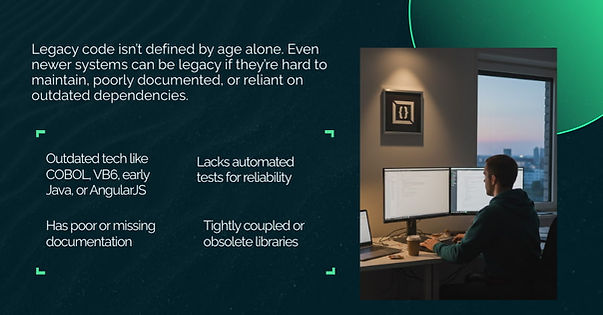
The most obvious indicator is the tech stack itself. Systems written in COBOL, VB6, early Java versions, or frameworks like AngularJS 1.x qualify because the technology is no longer actively developed. According to Pragmatic Coders, over 43% of global banking systems still run on COBOL, with 220 billion lines of COBOL code in operation worldwide.
But technology age alone doesn't define legacy code. A five-year-old Python application with no tests, unclear naming conventions, and scattered documentation can be just as difficult to maintain as a 30-year-old mainframe system.
The real markers include: absence of automated tests, heavy reliance on undocumented "tribal knowledge," tightly coupled components, and dependencies on libraries that no longer exist.
Why Legacy Systems Are Difficult to Maintain
Technical debt accumulates over years of quick fixes and feature additions without refactoring. Research from Sonar shows that technical debt costs approximately $300,000 annually per million lines of code.
The talent gap creates another barrier. Universities stopped teaching COBOL decades ago, yet billions of lines of mission-critical code still run on these platforms. Each year, the pool of developers who understand these systems shrinks.
Security vulnerabilities multiply in aging systems. IBM's 2024 Cost of a Data Breach Report found that the average breach cost reached $4.88 million, with legacy systems representing prime targets.
How AI Helps in Legacy Code Migration
AI helps most with the mechanical side of legacy migration. It speeds up large-scale refactoring, syntax translation, and documentation generation, which reduces manual effort and shortens timelines. At the same time, AI does not replace architectural reasoning or business logic validation, so its value depends on clear scope and strong human oversight.
AI's Strengths in Code Refactoring
AI performs well at pattern recognition and repetitive transformations. When you need to convert thousands of similar function calls, update deprecated API usages, or translate syntax between languages, AI handles the mechanical work efficiently.
Salesforce’s engineering team applied this approach during a large internal migration. They used AI-assisted refactoring to move 275 Apex classes and more than 3,500 files from a legacy managed package into their Core platform. What engineers initially estimated as a two-year manual effort was completed in about four months, largely because AI handled repetitive code changes while engineers focused on validation and sequencing.
GitHub Copilot, Sourcegraph Cody, and JetBrains AI Assistant support this work by analyzing code structure, suggesting modern alternatives, and generating refactored implementations. GitHub’s Copilot Chat can help break down unfamiliar files, map data flow between components, generate test plans, and convert legacy code (for example, from COBOL to Node.js) while you refine and validate the output.
AI also generates useful documentation for codebases that have none. By analyzing code patterns and logic flows, AI tools produce explanations that help developers understand unfamiliar systems faster.
Where AI Still Struggles
AI has limitations that engineers need to account for when using it in legacy code migration.
Business logic comprehension remains a core weakness. AI models pattern-match against training data but don’t understand why code behaves a certain way. AWS notes that complex business logic in files over 700 lines still requires careful human review to ensure correctness
Context window limitations also create challenges with large codebases. AI tools can only process a limited number of lines at once, meaning very large files or systems must be handled in segments, which increases the need for human oversight to maintain consistency.
Cross-file dependencies present another challenge. Migrating individual files can work well, but legacy systems often have intricate relationships between modules. Teams need to map dependencies and plan the sequence of changes carefully. AI can transform code at the file level, but determining the correct migration order and handling interactions between modules still requires experienced engineering judgment.
Choosing the Right AI Tool for Migration
Choose AI tools that understand your code, support multiple languages, integrate into your workflow, provide clear reasoning, and map architecture and dependencies.
Category | Key Points |
Context Awareness | Understands code relationships for better suggestions |
Multi-Language Support | Supports multiple legacy technologies (e.g., COBOL + JCL, VB6 + SQL) |
IDE Integration | Reduces context-switching, improves adoption |
Transparency | Explains reasoning for easier validation |
Architectural Pattern Recognition | Maps system structure beyond syntax |
Cross-Service Dependency Mapping | Reveals service boundaries; enables incremental migration |
Key Features to Look For
Context awareness determines how well the tool understands your specific codebase. Tools that index your entire repository graph provide better suggestions because they understand how components relate across your project.
Multi-language support matters when your legacy system spans multiple technologies. Many enterprise systems combine COBOL with JCL or mix VB6 with SQL stored procedures.
IDE integration affects adoption. Tools embedded in your existing development environment see higher usage because developers don't need to context-switch.
Transparency in suggestions helps teams validate AI output. Tools that explain their reasoning help developers identify where human review is most critical.
Architectural Pattern Recognition
Some tools focus on understanding system architecture rather than just code syntax.
Tools like Kodesage analyze code, issue tickets, databases, and documentation to build comprehensive system understanding. AWS Migration Hub provides dependency mapping and step-by-step guidance using templates for different migration strategies.
Cross-Service Dependency Mapping
Understanding service boundaries becomes critical when migrating monolithic systems to microservices.
AI tools analyze code to identify logical groupings of functionality, data access patterns, and communication flows. Dependency mapping reveals hidden connections between seemingly unrelated parts of the codebase. Starting from components with minimal dependencies and working toward core components reduces risk.
Effective Prompting Techniques for AI
Getting useful results from AI depends as much on how you prompt it as on the tool itself; clear, structured prompts guide the AI and reduce rework.
How to Write Prompts for Legacy Code Transformation
Effective prompts follow a structure: provide context, state the goal, and specify constraints.
Context includes the relevant code, its purpose, dependencies, and edge cases. Goals should be specific: "Convert this synchronous database call to use async/await while maintaining the existing error handling" gives the AI a clear target.
Constraints define what the output must include. Specify the target language version, required libraries, naming conventions, or performance requirements.
Examples of Good vs. Bad Prompts
A weak prompt: "Convert this COBOL code to Java."
A stronger prompt: "Convert this COBOL program that calculates loan amortization schedules to Java 17. Use the java.time package for date handling. Preserve the existing calculation logic exactly. Output should follow our coding standards: camelCase for methods, PascalCase for classes, and include JavaDoc comments."
The additional context costs 30 seconds to write but saves hours of rework.
Common Pitfalls and How to Avoid Them
AI-assisted migration can fail if generated code doesn’t integrate with existing pipelines, preserves insufficient version history, or introduces security risks. Planning for CI/CD, test updates, and dependency management is essential to avoid costly issues.
Integration Gaps with Existing Workflows
AI-generated code must fit into your existing development pipeline. CI/CD pipelines built for legacy technology often require significant modifications to work with modernized code.
Version control history can be lost during migration. Consider preserving git history through careful branching strategies or maintaining parallel codebases during transition.
Test environments need updating alongside the code. Running new code against test databases configured for the old system can produce subtle failures.
Security Considerations
AI tools may not understand your security requirements. Generated code might use deprecated cryptographic functions, expose sensitive data through logging, or create injection vulnerabilities. Security-focused static analysis should scan all AI-generated code.
Dependency management becomes critical when moving to new platforms. Modern frameworks pull in dozens of transitive dependencies, each representing a potential vulnerability.
Best Practices for Implementing AI Tools
Approach AI-assisted migration as an iterative process. Break changes into small batches, monitor metrics like regression rate and test coverage, and combine AI’s mechanical work with human review to ensure correctness and maintainability.
Performance Tuning Strategies
Break large migrations into smaller batches. Processing 100 files at a time lets you catch problems early and iterate on your prompts.
Use characterization tests before migrating. These tests capture current behavior and provide a safety net that detects when migration changes actual functionality.
Monitoring Critical Metrics
Track specific indicators throughout migration. Regression rate measures how often migrated code fails tests the original passed.
Test coverage should increase during migration. Build time and resource usage reveal whether modernized code performs acceptably.
Tips from Successful Teams
Successful AI-assisted migrations rely on structured processes and human oversight to ensure reliability.
- Batch changes: Process code in small, logical chunks.
- Validate continuously: Run tests and review after each batch.
- Sequence strategically: Start with low-dependency components.
- Use AI for repetitive work: Leave complex logic and architecture to engineers.
- Track changes: Document AI output and human adjustments for traceability.
The Role of Human Developers in AI-Driven Migration
AI tools take over much of the repetitive transformation work, but developers still lead the process. Your role shifts to reviewing changes, validating behavior, and making architectural decisions - tasks that remain essential throughout the migration lifecycle.
Architect Oversight and Validation
Strategic decisions about migration sequence, service boundaries, and platform selection require understanding business priorities and team capabilities. AI can suggest options but cannot weigh these tradeoffs. Which components get modernized first when everything seems critical? How do you phase the migration to minimize business disruption? These questions require human judgment informed by organizational context.
Code review of AI output catches issues that automated testing misses. Experienced developers recognize when generated code technically works but creates maintainability problems. They identify patterns that might cause performance issues under production load or create difficulties for future developers.
Edge case handling often requires institutional knowledge. That strange conditional buried in legacy code might handle a regulatory requirement, a specific customer configuration, or a hardware limitation. Humans decide which cases still matter and which can be safely discarded.
Ensuring Long-Term Maintainability
Migration success means the new codebase is easier to work with than the old one. Simply converting syntax without improving structure creates new legacy code that happens to use modern technology.
Documentation should improve during migration. AI can generate initial documentation, but developers should enhance it with context about why things work the way they do. Future maintainers need to understand not just what the code does, but the reasoning behind key decisions.
Test coverage must be comprehensive. The migration creates an opportunity to add tests that the original codebase lacked. Take advantage of this opportunity rather than replicating the testing gaps that made the legacy system difficult to maintain.
Architectural decisions made during migration persist for years. Rushing through structural choices to speed up the project creates new technical debt that future teams inherit. The goal is to emerge from migration with a system that's genuinely easier to extend and maintain.
How the Field Is Evolving
AI-assisted development is becoming a standard part of enterprise workflows. IDE integration is deepening, with vendors like JetBrains and Microsoft embedding AI directly into development environments rather than offering separate tools. This improves context awareness, letting AI understand project structure, dependencies, and coding patterns.
Specialized models are also emerging. Instead of relying solely on general-purpose code models, some AI systems are trained for specific domains - such as financial systems, healthcare software, or embedded firmware. These models produce more accurate, domain-appropriate code because they understand the conventions and requirements of particular industries.
Emerging Trends to Watch
AI-generated test suites are becoming reliable enough for production use. Tools can analyze existing code and generate comprehensive test coverage that validates behavior during migration. This addresses one of the biggest challenges with legacy systems: the absence of tests that would catch regressions.
Self-healing code systems detect and fix certain bug classes automatically. While still limited to specific problem types, these systems reduce the burden of post-migration bug fixing and ongoing maintenance.
Multi-agent systems coordinate specialized AI models for different migration aspects. One agent analyzes architecture, another handles code transformation, and a third generates tests. This division of labor improves overall quality because each agent focuses on what it does best.
You can reach out to our experts to explore how AI can accelerate legacy code migration, reduce manual effort, and help your team modernize critical systems safely and efficiently.
Frequently Asked Questions
What is legacy code in software development?
Legacy code is existing code that is hard to maintain, extend, or understand. It often includes outdated languages, missing documentation or tests, or systems where the original developers are no longer available, making changes risky and slow.
Can AI tools fully replace developers in code migration?
No. AI can handle repetitive transformations and syntax updates, but developers are still crucial for architectural decisions, validating business logic, and ensuring the system remains maintainable over the long term.
What are the risks of using AI for code migration?
AI can misinterpret complex business logic, introduce subtle bugs, generate security vulnerabilities, or produce code that behaves unexpectedly under edge cases. Human oversight is essential to catch these issues.
How do I choose the best AI tool for legacy migration?
Focus on tools that support your languages, understand your codebase context, integrate with your IDE, provide transparent suggestions, and include security checks. Testing the tool on a real portion of your code is the best way to evaluate practical effectiveness.
Is AI suitable for enterprise-scale legacy systems?
AI can accelerate parts of large migrations, but full-scale enterprise systems still require careful planning, human oversight, and phased execution to manage complexity and dependencies.
How much does legacy code migration cost?
Costs vary widely. Small projects can run $10,000-$50,000, mid-size applications $50,000-$200,000, and enterprise migrations can exceed $500,000, depending on scope, technology, and tools.
How long does a legacy migration project take?
Small migrations may take 2–3 months. Department-level efforts typically last 6–18 months, and enterprise-wide migrations can span 2–5 years, often using phased rollouts to reduce risk.
How many developers do I need for a legacy migration?
Small projects may need 2-3 developers. Mid-size projects generally require 3-5 developers plus an architect. Large-scale migrations often need cross-functional teams of 10-20, including QA and DevOps specialists.
What’s the ROI of migrating legacy code versus keeping it?
Modernizing legacy code improves maintainability, scalability, and security while reducing operational costs. Most organizations recover the investment within 1–3 years through lower maintenance effort and faster feature delivery.
What’s the step-by-step process for legacy code migration?
Start by assessing the current system and defining clear business objectives. Choose the target architecture and tools, create a detailed roadmap, set up testing frameworks, and execute migration incrementally. Validate each phase thoroughly, and only decommission legacy systems once the new system is fully verified.