Legal Software Development Services for Law Firms

Law firms today face higher client expectations, stricter compliance rules, and pressure to cut down on routine administrative work. Software isn’t just for tracking cases or documents anymore - it helps manage workflows, keep information secure, and coordinate teams efficiently.
In the U.S., 73% of firms use cloud-based legal tools, with document and practice management seeing the highest adoption. Around 85 percent of litigators submit court filings electronically, and AI-assisted discovery tools are increasingly used to speed up research. The legal practice management market was valued at USD 2.78 billion in 2026 and is projected to exceed USD 8 billion by 2035.
Off-the-shelf tools often struggle with specific workflows, compliance, and case tracking. Custom legal software can automate routine tasks, organize case information, and help teams stay on top of deadlines and client obligations.
Let’s look at why specialized legal software matters, the solutions that provide the most value, and how technology supports practical growth.
Why Custom Legal Software Matters
The legal industry has specific workflows, strict confidentiality requirements, and diverse practice styles. Off‑the‑shelf tools often address general needs but fall short when firms need tailored process automation, deep integrations, or strong compliance controls. Custom legal software fills that gap by aligning functionality with your firm’s unique operations, reducing repetitive work, and strengthening your ability to serve clients efficiently.
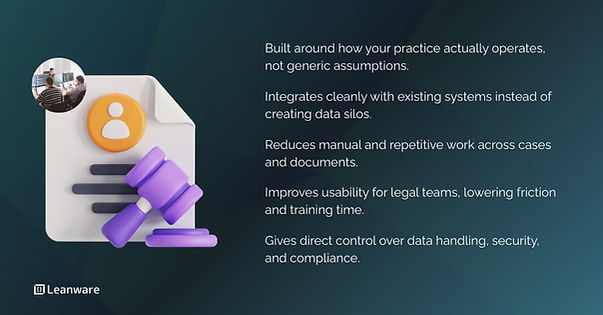
Adoption of legal technology is growing, but many firms still face challenges. Standard products can be difficult to connect with existing systems, have steep learning curves, or raise security concerns. In one survey, 62 percent of corporate legal professionals said their software applications didn’t connect with each other, and nearly half described the tools as confusing or cumbersome.
In contrast, custom solutions can be designed to support your workflows, improve usability, and give you direct control over how data is stored, processed, and secured.
Benefits of Tailored Legal Software Solutions
Custom legal software can make day-to-day work smoother and more reliable. Some of the main benefits include:
- Improved productivity. Automate routine tasks like document routing, scheduling, and billing to free time for legal work.
- Stronger compliance. Tailor controls to your regulatory environment, with built‑in audit logs and traceability.
- Data security aligned to your standards. Implement encryption, access controls, and secure hosting based on firm policies and applicable laws.
- User experience built for real workflows. Reduce training time and errors by designing interfaces that match how your team works.
Firms that invest in tailored tools report not only operational gains but also better client service, as responsiveness and accuracy improve.
Challenges with Off‑the‑Shelf Legal Software
Many firms start with commercial legal tech platforms because they promise quick deployment. However, common problems emerge over time:
- Limited customization. Standard tools often lack the flexibility to adapt to niche workflows or unique reporting needs.
- Usability issues. Lawyers frequently report software that feels unintuitive or requires juggling multiple disconnected applications.
- Integration gaps. Some systems struggle to synchronize with accounting, document storage, or communication platforms.
- Security concerns. Not all products offer the level of encryption or data residency controls firms require.
Firms that must adapt tools to specific practices like litigation timelines, trust accounting, or document automation - can find off‑the‑shelf solutions constraining over time.
Types of Legal Software Solutions
Custom services usually span a spectrum of modules that address core practice needs while allowing firms to grow their systems over time.
Software Type | Key Features |
Case Management | Centralizes client data, deadlines, and communications. |
Document Management | Secure storage, search, version control, cloud access. |
Billing & Invoicing | Time tracking, trust accounting, client billing. |
Legal Mobile Apps | Access cases and calendars securely on the go. |
Workflow Automation | Automates reminders, contracts, and tasks. |
Compliance & Risk | Tracks policies, audit trails, and regulations. |
Integrations | Connects with storage, accounting, and productivity tools. |
Case Management Systems
Case management software keeps all client data, deadlines, contacts, and communications in one place. Features like docket tracking, calendaring, and automated alerts help prevent missed deadlines and keep workflows consistent from intake through resolution.
Good systems also make it easier to see case progress at a glance and coordinate work across teams.
Legal Document Management Software
Legal work generates a high volume of documents. Document management tools organize files securely, enable fast search, manage version control, and integrate with cloud platforms. This ensures you can find, share, and collaborate on documents quickly without risking confidentiality or losing audit trails.
Law Firm Billing and Invoicing Solutions
Billing systems streamline time tracking, trust accounting, client invoicing, and compliance. Accurate time capture, flexible rate structures, and clear invoices help ensure billing aligns with the work done, reduces errors, and simplifies financial reporting.
Legal Mobile Apps
Mobile apps allow lawyers to access case information, schedules, and client communications securely from anywhere. They improve responsiveness and convenience while maintaining encrypted connections and controlled access to sensitive information.
Workflow Automation Tools
Automation tools reduce repetitive administrative tasks. Examples include automated reminders for deadlines, contract lifecycle management, and rule-based task assignments. By handling routine work, these tools let teams focus on substantive legal tasks and client service.
Compliance and Risk Management Systems
Law firms face regulatory requirements like GDPR, HIPAA, or state-specific rules. Compliance systems enforce policies, track audit trails, and monitor potential risks, helping teams stay current with regulatory changes and reduce exposure to penalties.
Integrations with Existing Legal Tools
Custom software can connect to the systems your firm already relies on, including cloud storage, accounting platforms like QuickBooks or Xero, and productivity suites like Microsoft Office or Salesforce. Well-designed integrations keep data consistent, reduce duplicate work, and improve overall workflow efficiency.
Technology That Drives Legal Innovation
Modern legal software increasingly incorporates technologies that enhance efficiency, security, and collaboration. These innovations allow firms to elevate service without sacrificing control.
1. AI‑Powered Legal Tools
Artificial intelligence now supports legal research, document review, prediction, and client intake. Natural language processing can analyze large text collections faster than manual review.
Predictive analytics help teams understand trends based on historical data. However, it is important to pair AI with human oversight to avoid errors and maintain professional responsibility.
Planning an AI build in a regulated practice? Leanware builds AI products for legal and healthcare workflows, and senior engineers do the work directly. See how we approach healthcare and legal AI builds.
2. Cloud‑Based Legal Infrastructure
Cloud solutions provide scalable storage, cost efficiency, secure access, and disaster recovery. Properly configured cloud infrastructure with strong encryption and compliance controls helps firms support remote work without sacrificing data protection.
3. Hybrid Work and Collaboration Features
Support for hybrid work includes secure video conferencing, shared workspaces, and real‑time document co‑authoring. These features matter when teams work across locations or with clients who expect transparent communication.
4. Secure Legal Data Storage Solutions
Encryption for data at rest and in transit, controlled access rights, and regular backups help protect sensitive client data. Depending on your jurisdiction, you may need specific data residency controls or compliance with standards such as SOC 2 or ISO 27001.
Legal Segments and Their Software Needs
Custom legal software can serve a broad range of legal segments, each with particular concerns.
Segment | Key Needs |
Corporate Legal | Contracts, compliance, e‑discovery, integration |
Law Firms & Solo | Case access, billing, task tracking, docs |
Government & Public | Transparency, compliance, audit, collaboration |
Litigation Support | Review, redaction, timelines, collaboration |
Corporate Legal Departments
In-house legal teams manage contracts, compliance, and e‑discovery on a daily basis. Software that integrates with enterprise systems like CRM, ERP, and financial tools helps keep data consistent across the organization.
It can automate routine compliance checks, highlight potential risks, and provide dashboards to track contracts and obligations efficiently.
Law Firms and Solo Practitioners
Smaller firms and solo practitioners need software that works as hard as they do without slowing them down. Intuitive interfaces, fast access to case files, and reliable billing tools simplify daily operations.
Features like task tracking, document search, and automated workflows reduce administrative burden, letting teams focus on client work and case strategy.
Government and Public Sector Legal Teams
Public sector legal teams operate under strict transparency and compliance requirements. Software in this space should provide version control, audit-ready reporting, and secure collaboration across departments.
Staying on top of regulatory changes and keeping an accessible audit trail are essential to maintain accountability.
Litigation Support Providers
Litigation support teams handle vast amounts of discovery data and complex case details. They need tools for document review, redaction, timeline management, and collaboration with multiple parties. Strong search, tagging, and case tracking capabilities reduce errors and make it easier to manage high-stakes cases efficiently.
Why Choose Expert Legal Software Development
Building effective legal software starts with understanding both how legal teams work and how technology supports those workflows efficiently.
Aspect | Why It Matters |
Industry Expertise | Ensures software fits real workflows and regulatory needs |
Compliance-Focused | Builds privacy and legal rules into the system from the start |
Scalable & Future-Ready | Allows updates and growth without disrupting core operations |
Seamless UX | Reduces cognitive load, speeds tasks, and lowers errors |
Industry‑Specific Expertise
Legal software isn’t one-size-fits-all. It requires knowledge of compliance requirements, structured workflows, and secure handling of sensitive data.
Experience with legal tech projects ensures that design choices reflect real-world practice needs and the regulatory environment, rather than just generic software standards.
Compliance‑Focused Development
Compliance isn’t an afterthought - it shapes the system from the ground up. Privacy laws, professional conduct rules, and data handling standards guide how the software is built, tested, and maintained.
A compliant system reduces risk while making audits and reporting more straightforward.
Scalable and Future‑Proof Solutions
Modern legal software relies on modular architecture and API-driven designs. This allows you to add new features or update workflows without disrupting existing operations.
Planning for scalability and flexibility up front avoids expensive rewrites as your firm grows or regulations change.
Seamless User Experience Design
Lawyers and legal staff need interfaces that are clear and efficient. Good software reduces cognitive load, highlights critical information, and streamlines routine tasks. Thoughtful design helps teams get work done faster and reduces mistakes, whether in billing, case tracking, or document review.
Getting Started With Your Legal Software Project
Every successful legal software project begins with a clear understanding of workflows, priorities, and integration needs. Laying this groundwork helps ensure development, deployment, and ongoing support align with how your firm actually operates.
Consultation and Requirements Gathering
Start by observing how your team actually works. Identify repetitive tasks, bottlenecks, and areas where compliance or audit requirements create friction. Focus on both legal operations and administrative processes like billing, document handling, and client communications.
This allows you to prioritize features that reduce errors, save time, and improve visibility across cases.
Custom Development and Integration
Develop the system in phases. Begin with core capabilities such as case tracking, document management, and billing. Once these are stable, integrate with your existing tools - accounting software, cloud storage, email, and productivity platforms.
Proper integration keeps data consistent, eliminates duplicate entry, and ensures staff can continue working without disruption. Iterative delivery also lets you adjust workflows as your firm evolves or as new regulations emerge.
Ongoing Support and Maintenance
Legal software requires constant attention. Security patches, updates for regulatory changes, and workflow adjustments are not optional. A clear support plan should define response times, update schedules, and training for staff.
Maintaining the system proactively keeps operations smooth, preserves data integrity, and ensures compliance is enforced continuously.
Planning Your Next Steps
Implementing legal software starts with understanding where technology can simplify work and maintain compliance. Focus on how your firm handles cases, documents, and billing, and identify areas where automation or integration will make a practical difference.
The goal is a system that fits into existing workflows, keeps data secure, and can evolve as your practice changes. Clear planning upfront reduces disruption and ensures the software supports your team’s daily work efficiently.
You can also connect with our team to discuss your legal software needs, explore development options, and ensure your systems are secure, compliant, and aligned with your firm’s workflows.
Frequently Asked Questions
How much does custom legal software development cost?
Costs vary with complexity, features, and integrations. Small projects like a case management or billing module can start around $20k, while full platforms with document management, automation, and accounting can exceed $150k. Using phased development or modular architecture helps control expenses.
Hiring teams in Latin America can also reduce hourly rates while maintaining experienced developers and nearshore collaboration.
How long does it take to develop custom legal software?
A minimum viable product (MVP) with core features usually takes 2 to 3 months. Full-featured systems that include billing, document management, reporting, and advanced analytics typically require 6 to 12 months. Iterative development with staged releases allows you to test workflows, adjust features, and minimize disruption.
Can custom legal software integrate with QuickBooks or Xero?
Yes. Integrations use APIs or connectors to sync billing, trust accounting, and financial data. Proper integration ensures compliance with legal accounting standards, reduces duplicate data entry, and helps your finance and operations teams stay aligned.
What’s the ROI compared to subscribing to off-the-shelf tools?
Custom software requires a higher initial investment but provides greater control over features, workflows, and data. You avoid recurring subscription fees, licensing limits, and forced upgrades. Over time, efficiency improvements, reduced administrative work, and tighter integration across systems often outweigh the upfront cost.
How is attorney-client privilege protected in cloud-based solutions?
Secure solutions rely on end-to-end encryption, strict access controls, and certified hosting environments such as ISO 27001 or SOC 2 compliant data centers. Data residency rules, logging, and monitoring ensure privileged information is stored and accessed only according to your policies.
What languages and frameworks are commonly used?
Development typically uses Python for backend processing, JavaScript (React and Node.js) for front-end and server tasks, and .NET for enterprise-grade systems. Cloud platforms like AWS and Azure provide secure infrastructure, scalability, and redundancy. Technology choices are made to balance performance, compliance, and long-term maintainability.
How do you migrate data from legacy systems?
Migration starts with auditing existing data, cleansing duplicates or errors, and mapping it to the new schema. Pilot migrations test accuracy, followed by validation and final cutover. This approach reduces downtime, maintains data integrity, and ensures historical records remain accessible.
What if new regulations are introduced after deployment?
Flexible, modular architectures allow you to update compliance components without major overhauls. Regular maintenance plans and monitoring of regulatory changes keep the system aligned with evolving legal requirements.
Can non-technical staff customize workflows?
Yes. Admin panels, low-code interfaces, or rule editors let non-technical users adjust templates, notifications, and task assignments. This empowers staff to adapt processes without needing developer support.
What is typical training time for legal staff?
Training usually ranges from 2 to 10 hours, depending on the system’s complexity. Well-designed interfaces, guided onboarding, and targeted training materials reduce learning time and help staff become productive quickly.