Guide to Vibe Coding with AI: Step-by-Step Workflow & Tools

Software development is changing in a way you notice when you build things. Instead of starting with folders, configs, and boilerplate, you start by stating what you want the app to do. You describe the behavior, and AI generates code that implements it. That approach is what people mean by vibe coding.
You describe a feature, review the code the AI produces, run it, and then adjust either the prompt or the code until it behaves correctly. You stay responsible for the technical decisions. The AI simply removes the repetitive setup work.
Let’s explore how this actually works, where it helps, and where it does not.
What Is Vibe Coding?
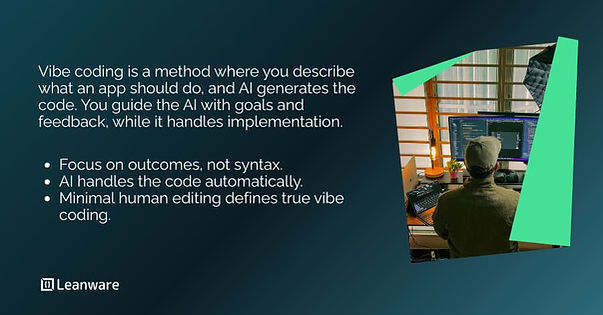
Vibe coding is a development approach where you generate functional code from natural language prompts instead of writing syntax yourself. The AI handles implementation details while you focus on describing outcomes.
Origin and Concept
Andrej Karpathy, computer scientist and former AI leader at Tesla and OpenAI, coined the term in February 2025. In his original description, he characterized it as a state where a developer would "fully give in to the vibes, embrace exponentials, and forget that the code even exists."
Karpathy used the method to build prototypes like MenuGen, letting AI models generate all code while he provided goals, examples, and feedback through natural language. He used tools like Cursor Composer with Anthropic's Sonnet model, often dictating through voice transcription software.
The term went viral quickly. Within weeks, it appeared in the New York Times, Ars Technica, and the Guardian. Collins Dictionary named it their Word of the Year, and Y Combinator reported that 25% of startups in their Winter 2025 batch had codebases that were 95% AI-generated.
A key distinction: if you review, test, and fully understand the code an AI writes for you, that's not vibe coding in the strict sense. Programmer Simon Willison clarified this point: "If an LLM wrote every line of your code, but you've reviewed, tested, and understood it all, that's not vibe coding in my book - that's using an LLM as a typing assistant."
How It Differs from Traditional Programming
Traditional development requires you to translate ideas into specific syntax. You write functions, manage state, handle edge cases, and debug line by line. The process demands knowledge of programming languages, frameworks, and architectural patterns.
Vibe coding flips this relationship. You describe the outcome you want - "build a login form that validates email addresses" - and the AI generates the implementation. Your role shifts from writing code to guiding, testing, and refining AI output.
Aspect | Traditional Programming | Vibe Coding |
Primary input | Syntax and code | Natural language prompts |
Required knowledge | Programming languages, frameworks | Problem description, testing |
Iteration speed | Hours to days | Minutes to hours |
Code understanding | Deep, line-by-line | Variable, often surface-level |
Best for | Production systems, complex logic | Prototypes, MVPs, internal tools |
The difference is simple. Vibe coding moves fast at the start, but you may not fully understand every line it generates. Traditional programming is slower, but you keep complete control.
How Vibe Coding Works
Vibe coding operates at two levels: the code-level workflow where you refine individual components, and the application lifecycle where you take an idea from concept to deployment.
The Code-Level Workflow
The basic loop looks like this:
Describe the goal. Start with a plain language prompt explaining what you want. For example: "Create a Python function that reads a CSV file and returns the sum of all values in the 'amount' column."
AI generates code. The model interprets your request and produces initial code. Depending on the tool, this might include functions, classes, UI components, or entire file structures.
Execute and observe. Run the generated code to see if it works. Check for errors, unexpected behavior, or missing functionality.
Provide feedback and refine. If the output isn't right, you give new instructions. "That works, but add error handling for when the file doesn't exist." You can also paste error messages directly back to the AI for debugging.
Repeat. This loop continues until the code does what you need.
The conversational nature makes iteration fast. You don't need to locate bugs in unfamiliar syntax - you describe what's wrong and ask for fixes.
The Application Lifecycle
For full applications, the workflow extends across five stages:
Ideation. You describe the entire application in a high-level prompt. Tools like Google AI Studio or Firebase Studio accept descriptions like "build a recipe app where users can save favorites and get AI suggestions based on ingredients they have."
Generation. The AI creates an initial version of the full application, including UI, backend logic, and file structure. This happens in seconds to minutes rather than days.
Iterative refinement. You test the application and use follow-up prompts to add features or fix issues. "Add a search bar at the top" or "Make the save button work with local storage."
Testing and validation. You review the application for functionality, security, and quality. This is where human judgment becomes critical - AI can generate code, but it doesn't guarantee that code is secure or production-ready.
Deployment. With many vibe coding tools, deployment is a single click. The app goes live on serverless infrastructure with a URL you can share.
This lifecycle compresses what traditionally takes weeks into hours. The catch is that speed comes with trade-offs in code quality and security that require attention.
Top Tools for Vibe Coding
Several platforms now support vibe coding workflows. The right choice depends on your project complexity, technical background, and deployment needs.
Tool | Category | Best For | Features | Setup |
Google AI Studio | Prototype | Quick AI apps | Single prompt → live app | Browser |
Firebase Studio | Full-Stack | Web & mobile MVPs | Auto backend, auth, Firestore | Cloud IDE |
Cursor | AI IDE | Complex projects | Multi-file edits from prompts | Desktop |
Lovable | App Builder | Non-technical founders | Polished frontend, Supabase sync | Browser |
Replit Agent | Hybrid IDE | Solo devs | Plan, write, test, fix code | Cloud IDE |
Windsurf | AI IDE | Large codebases | Deep refactoring across modules | Desktop |
v0 (Vercel) | UI Specialist | Frontend devs | Prompt → Tailwind/shadcn/ui | Browser |
Claude Code | CLI Agent | Senior devs | Git-integrated CLI refactors | Command line |
Choosing the Right Tool
Consider these factors when selecting a platform:
- Project scope: Simple prototypes and internal tools work well with any vibe coding platform. Complex applications with custom business logic may need more traditional development support.
- Technical experience: Some tools assume no coding background and handle everything through prompts. Others let you drop into the code when needed.
- Backend requirements: If you need databases, user authentication, or APIs, look for platforms with built-in backend services.
- Deployment target: Consider where your app needs to run - web, mobile, or both - and whether the platform supports that.
- Team collaboration: If multiple people will work on the project, check for sharing and version control features.
For startup founders testing ideas, speed matters most. Solo developers might want tools that let them inspect and modify generated code. Product managers building internal tools often prioritize simplicity over flexibility.
Overview: Google AI Studio
Google AI Studio is Google's platform for building AI-powered applications through natural language prompts. It runs on Gemini models and handles the complexity of wiring together APIs, models, and services automatically.
The platform introduced a dedicated vibe coding experience in October 2025. You describe your app idea, and AI Studio generates a working prototype. The system automatically assembles components using Gemini's APIs for text, image, and video capabilities.
Key features:
- Single-prompt app generation: Get a functional app in minutes.
- Annotation Mode: Highlight UI elements and apply changes.
- Model mixing: Combine image, video, and search capabilities.
- One-click deployment: Live app on Cloud Run instantly.
- Secret variable support: Securely store API keys.
- App Gallery: Browse and remix community apps.
The platform targets users who want the fastest path from idea to working application. No coding experience required, though developers can access and edit the generated source code.
Google AI Studio is free to start, with no credit card required for experimentation. Advanced features like Cloud Run deployment and certain models require a paid API key.
Overview: Firebase Studio
Firebase Studio is Google's cloud-based development environment for building full-stack AI applications. It launched in April 2025 and integrates AI assistance with Firebase's backend services.
Firebase Studio takes a different approach than AI Studio. While AI Studio focuses on quick prototypes, Firebase Studio provides a complete development environment with an IDE, backend integration, and deployment options.
The platform offers two modes:
App Prototyping agent (Prototyper). Create new apps using natural language, images, drawings, or screenshots. The agent generates a full-stack Next.js web app with backend services wired up automatically.
Code workspace. Work directly in a Code OSS-based IDE with Gemini assistance for code completion, generation, testing, and documentation. You can import existing projects from GitHub, GitLab, or Bitbucket.
Key features:
- Multimodal prototyping: Start with text, sketches, mockups, or screenshots.
- Firebase integration: Auto-provisions Auth and Firestore.
- AI-optimized templates: Flutter, Angular, React, Next.js, and web apps.
- Real-time collaboration: Work with team members in shared workspaces.
- Web and mobile preview: Test in browser or Android emulator.
- App Hosting deployment: Publish to Firebase Hosting in clicks.
Firebase Studio gives you 3 workspaces free during preview. Google Developer Program members get up to 30 workspaces.
The platform works well for MVPs that need backend functionality - user accounts, data storage, real-time updates - without configuring those services manually.
Step-by-Step: Vibe Coding with Google AI Studio
Here’s how to build an app in Google AI Studio.
Step 1: Describe What You Want to Build
Go to ai.studio/build and write a clear prompt describing your app. The more specific, the better.
Good prompt: Create a flashcard study app where users can add their own cards with questions and answers, shuffle them randomly, and track how many they got correct.
Less effective prompt: Make a study app.
Include details about:
- Core functionality (what the app does)
- User interactions (how people use it)
- Data handling (what needs to be saved or processed)
- Visual preferences (layout, style, colors) if you have them
You can also enable "superpowers" - modular AI features that extend your app's capabilities. These include image generation, video understanding, and enhanced reasoning.
Step 2: Refine and Customize the App
After generation, your app appears in an interactive editor with both a preview and code view.
Use Annotation Mode to make visual changes. Click on any element in the preview and type what you want changed:
- Increase the font size of this header
- Move this button to the right side
- Change the background color to light blue
For functional changes, use the chat interface:
- Add a button that resets the score to zero
- Store the cards in local storage so they persist between sessions
- Add keyboard shortcuts for 'correct' and 'incorrect'
You can also edit the generated code directly if you're comfortable with JavaScript/TypeScript and React.
Test your changes in the preview. Each modification triggers a new build, so you see results in seconds.
Step 3: Deploy to Cloud Run
When your app works as expected, click the deploy button. Google AI Studio handles:
- Containerizing your application
- Deploying to Cloud Run
- Generating a public URL
Your app is now live and shareable. You can continue iterating after deployment—make changes in AI Studio and redeploy with one click.
For production use, you'll want to add your own API key and review the generated code for security issues before driving significant traffic to the app.
Step-by-Step: Vibe Coding with Firebase Studio
Firebase Studio provides a more comprehensive development experience with backend integration.
Step 1: Outline Your Application in the Prompt
Go to firebase.studio and click "Prototype this app" to start with the App Prototyping agent.
Describe your application. Firebase Studio accepts multiple input types:
- Text descriptions: "Build a task manager where users can create projects, add tasks, set due dates, and mark tasks complete".
- Image uploads: Screenshots or mockups of apps you want to recreate.
- Drawings: Sketch a rough UI layout directly in the interface.
The agent works best when you specify:
- Core features you need at launch
- User roles (if applicable)
- Data relationships (projects contain tasks, users own projects)
Step 2: Review the AI-Generated Blueprint
Firebase Studio generates an App Blueprint - a plan showing:
- Feature requirements
- UI style and layout
- Backend services needed (authentication, database)
- AI capabilities used
Review this blueprint before proceeding. It tells you what Firebase services will be provisioned and how the app will be structured.
If the plan doesn't match your vision, refine your prompt and regenerate.
Step 3: Generate and Preview the Prototype
Once you approve the blueprint, Firebase Studio generates a full Next.js application. This includes:
- Frontend UI components
- Backend API routes
- Firebase configuration for Auth and Firestore (if needed)
- AI integration via Genkit
The app appears in a preview panel where you can interact with it immediately. No local setup or configuration required.
Step 4: Make Edits in Real Time
Iterate through the chat interface. Common refinements:
- Add a delete button for each task
- Show tasks sorted by due date
- Add a 'priority' field to tasks with high, medium, low options
- Change the color scheme to dark mode
You can also switch to the code workspace to make direct edits. The IDE includes:
- Code completion powered by Gemini
- File explorer for navigating your project
- Terminal for running commands
- Web preview that updates as you save
Firebase Studio lets you roll back changes if an iteration breaks something. The platform tracks your modification history.
Step 5: Final Deployment
Publish your app through Firebase App Hosting:
- Click the publish button
- Firebase handles build, deployment, and CDN configuration
- You receive a live URL to share
Your app now runs on Firebase's infrastructure with automatic scaling. Monitor usage and performance through the Firebase console.
For apps that need it, Firebase Studio also provisions:
- Firebase Authentication for user sign-in
- Cloud Firestore for data storage
- Firebase App Check for abuse prevention
Example Use Case: Personal Budget Tracker
Let's walk through building a practical app - a personal budget tracker - to see vibe coding in action.
Prompt 1 & Testing
Initial prompt: Create a personal budget tracker where I can add income and expense transactions with categories, see my current balance, and view a breakdown by category.
The AI generates an app with:
- A form to add transactions (amount, category, type, date)
- A running balance display
- A list of recent transactions
- Basic category totals
Testing reveals issues:
- Categories are hardcoded; I want to add custom ones
- The balance calculation doesn't handle negative numbers correctly
- No way to delete transactions
Prompt 2 & Iteration
Refinement prompt: Let me add custom categories. Fix the balance so it correctly subtracts expenses from income. Add a delete button to each transaction.
The updated app now:
- Includes a category management section
- Calculates balance as income minus expenses
- Shows a delete icon next to each transaction
More testing shows the data disappears on page refresh.
Second refinement: Store all transactions and categories in local storage so they persist between sessions.
Now the app maintains state across browser sessions.
Prompt 3 & Final Testing
Final refinements:
- Add a date range filter to see transactions from specific periods
- Show a pie chart of spending by category
- Add export to CSV functionality
The final app has:
- Full transaction management
- Persistent storage
- Category breakdown visualization
- Data export capability
Total development time: about 45 minutes, with no manual code writing.
This example shows the vibe coding workflow: start with core functionality, test immediately, iterate based on what's missing, and add features incrementally.
Pro Tips for Better Vibe Coding
These practices improve your results and reduce frustration.
Be Precise with Prompts
Vague prompts produce vague results. Specificity drives quality.
Instead of: Make a todo app.
Try: Create a todo app with three columns: To Do, In Progress, and Done. Users should drag tasks between columns. Each task has a title, description, and due date. Show overdue tasks in red.
Include constraints, expected behaviors, and edge cases in your prompts. The AI can't read your mind - it builds what you describe.
When the AI asks clarifying questions, answer them thoroughly. These questions often surface ambiguities in your requirements.
Build in Small, Testable Chunks
Don't try to generate your entire application in one prompt. Break complex apps into phases:
- Start with core functionality
- Test thoroughly
- Add secondary features one at a time
- Test each addition
This approach catches problems early and makes debugging easier. If something breaks, you know which prompt caused the issue.
Small chunks also help the AI maintain context. Long, complex prompts can confuse the model and produce inconsistent results.
Test and Review Frequently
Vibe coding's speed makes it tempting to skip testing. Don't.
After each generation:
- Test happy paths (expected user behavior)
- Test edge cases (empty inputs, large values, rapid clicks)
- Check error handling (what happens when things fail?)
- Verify data persistence (does information survive refresh?)
AI-generated code often handles common cases well but misses edge cases. Your testing catches these gaps.
If you have coding experience, review the generated code periodically. Look for:
- Security issues (exposed API keys, unsanitized inputs)
- Performance problems (inefficient loops, unnecessary API calls)
- Logic errors (incorrect calculations, wrong conditions)
Document Your Process
Track what you're building and how. Save:
- Your prompts (what you asked for)
- The AI's responses (what it generated)
- Issues you found (what broke)
- Solutions that worked (what fixed it)
This documentation helps you:
- Reproduce successful patterns in future projects
- Debug recurring problems
- Hand off projects to other team members
- Understand how your app works when you return to it later
Some developers maintain a "prompt journal" with effective prompts for common tasks.
Learn as You Go
Vibe coding teaches you about code even when you're not writing it. Pay attention to:
- Patterns the AI uses repeatedly
- Libraries and frameworks it chooses
- How it structures files and functions
Ask the AI to explain code you don't understand: "Walk me through how this authentication flow works." Understanding the generated code makes you a better prompt writer and helps you debug issues.
Don't treat vibe coding as a replacement for learning. Treat it as an accelerated learning environment where you see working implementations of your ideas.
Limitations of Vibe Coding
Vibe coding has clear limits, and knowing them helps you use it effectively.
Where AI Might Fall Short
- Security risks: AI-generated code often has flaws. A 2025 Veracode study found leading models produce insecure code 45% of the time. Common issues include injections, authentication gaps, and poor data handling. For example, the Tea App left admin routes open, exposing 72,000 user images.
- Context blindness: AI only knows what you tell it. It can produce generic solutions that don’t fit your business or regulatory needs.
- Technical debt: Repeated iterations can create inconsistent, redundant, or hard-to-maintain code.
- Scalability limits: AI prioritizes working solutions over optimized ones, which can struggle under high data or user loads.
- Complexity limits: Best for small to medium apps. Complex workflows or sophisticated integrations often exceed what AI can reliably generate.
When to Involve a Human Developer
Bring in experienced developers for:
- Sensitive data or regulated systems: Apps handling financial, healthcare, or personal data need proper security checks.
- Performance-critical apps: AI-generated code works, but may not scale efficiently.
- Complex integrations: Connecting to legacy systems or third-party APIs often requires hands-on expertise.
- Long-term maintenance: Developers can set up consistent patterns that make future updates easier.
- Legal liability: Apps where bugs could cause financial or safety risks need professional oversight.
The practical approach is to use vibe coding for prototypes, then bring in a human developer to review, secure, and optimize the code before production. Leanware developers can step in at any stage where hands-on experience is needed, from refining prototypes to hardening production apps.
Getting Started: Is Vibe Coding Right for You?
Vibe coding delivers real value for specific use cases and audiences. It's not a universal solution.
For Developers
If you can code, vibe coding acts as a co-pilot:
- Prototyping: Test ideas in minutes and validate concepts quickly.
- Boilerplate generation: Skip repetitive setup; focus on unique business logic.
- Learning new technologies: Generate examples in unfamiliar frameworks and ask for pattern explanations.
- Internal tools: Quickly build dashboards, data processors, or workflow automations.
The risk is over-reliance. Professional software still requires code that’s maintainable, secure, and understood. Keep your skills sharp - AI tools evolve fast, but solid programming knowledge stays valuable.
For Non-Technical Users
Vibe coding opens opportunities without coding experience:
- Validate ideas: Build prototypes to test with users.
- Create internal tools: Automate workflows and dashboards for your team.
- Learn by doing: Gain intuition about how ideas translate to code.
Realistically, vibe coding accelerates MVPs but won’t deliver production-ready software alone. For scalable apps, partner with developers after prototyping. Use vibe coding to experiment and define requirements; let professionals handle maintainable, secure implementations.
The technology will improve over time. For now, treat vibe coding as a rapid experimentation tool that’s powerful when applied in the right context.
You can connect with us to get expert developers involved, review your prototype, secure it for production, or scale it for real-world use.
Frequently Asked Questions
How much does vibe coding with Google AI Studio cost per month/per app?
Google AI Studio is free to use during its preview period for basic experimentation and prototyping. Cloud services like Cloud Run, Firestore, or other backend services may incur costs based on usage (compute time, bandwidth, storage). For apps with moderate traffic, expect $5 to $50 per month depending on resource consumption. Check Google Cloud's pricing calculator for estimates based on your expected usage patterns.
Can I integrate AI-generated code with my existing React/Vue/Angular app?
Yes. You can export or extract portions of AI-generated code - such as API endpoints, utility functions, or UI components - and integrate them into existing frontend frameworks. Some adaptation is usually necessary to match your codebase's patterns, naming conventions, and state management approach. The generated code often needs cleanup to align with your project's style and dependencies.
What happens when AI-generated code has bugs - how do I debug it?
Debug AI-generated code using standard tools: browser developer tools, console.log statements, error messages, and debuggers. When you encounter bugs, paste the error message back into the AI with context about what you expected versus what happened. Test components in isolation to identify which part is failing. Most platforms allow direct code editing, so you can fix issues manually when prompt-based fixes don't work.
Is vibe coding production-ready or just for prototypes?
Vibe coding excels at rapid prototyping and MVPs. You can ship production applications, but they require additional validation. Before production deployment, conduct security reviews, performance testing, and quality assurance. For applications handling user data, financial transactions, or sensitive operations, expert review is strongly recommended. Think of vibe coding as a starting point that accelerates the path to production rather than a complete production workflow.
How secure is AI-generated code – what are the vulnerabilities?
AI-generated code often contains security flaws because models are trained on public code repositories that include insecure examples. Common vulnerabilities include SQL injection, cross-site scripting (XSS), authentication bypasses, and improper input validation. Research shows AI models produce insecure code roughly 45% of the time. Always run security scans on generated code, especially for applications handling user authentication, payments, or personal data. Consider tools like OWASP ZAP, Snyk, or SonarQube for automated security analysis.
Can multiple developers collaborate on vibe coding projects?
Collaboration features vary by platform. Firebase Studio supports real-time workspace sharing where multiple team members work on the same project simultaneously. Google AI Studio allows exporting code to version control systems like GitHub for collaborative workflows. For team projects, consider establishing a workflow where one person vibe codes the initial version, then the team collaborates through traditional version control for refinements and production hardening.
What's the maximum app complexity vibe coding can handle?
Vibe coding tools work best for small to medium applications with straightforward business logic - think CRUD applications, simple dashboards, utilities, and prototypes. As complexity increases (custom workflows, multiple integrated services, sophisticated state management, intricate business rules), prompt-based development becomes less reliable. You can use vibe coding to scaffold larger projects and generate initial components, then transition to traditional development for complex features and system architecture.
How do I add authentication/user login to vibe-coded apps?
Both Firebase Studio and Google AI Studio support adding authentication. In Firebase Studio, prompt the AI to add login functionality: "Add user authentication with email/password and Google Sign-In." The platform provisions Firebase Authentication automatically.
In Google AI Studio, describe the authentication flow you need, and the AI generates appropriate code. For production use, test authentication thoroughly - verify that protected routes actually reject unauthenticated users and that session handling works correctly.