Pharmacy Software Development Guide | All to Know in 2026

A pharmacist managing 300+ prescriptions daily with paper logs, manual insurance verification, and standalone cash registers faces a different reality than one using integrated software that automates these workflows.
The pharmacy management system market reflects this shift. It was valued at $31.13 billion in 2024 and is expected to reach $55.63 billion by 2032, growing at a compound annual growth rate of 8.3% from 2026 to 2032, according to Verified Market Research.
Let's explore what pharmacy software development involves, the features that matter, how development works, and what to expect from costs and timelines.
What Is Pharmacy Software?
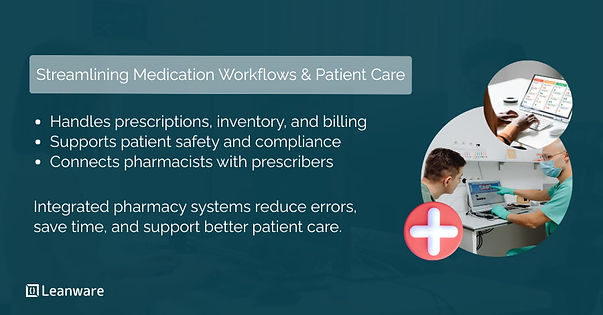
Pharmacy software is the digital infrastructure that manages prescription workflows, inventory, billing, insurance claims, and regulatory compliance. Unlike general retail POS systems, pharmacy software handles healthcare-specific requirements: drug interaction checking, controlled substance tracking, HIPAA-compliant data storage, and integration with prescriber systems.
Modern pharmacy systems integrate dispensing workflows, patient records, insurance adjudication, and regulatory reporting into a unified platform. They connect pharmacists with physicians through e-prescribing networks and provide real-time access to patient medication histories.
How It Differs From Traditional Pharmacy Tools
Traditional pharmacy operations relied on manual ledgers, paper prescriptions, and standalone cash registers. Each system operated independently, requiring pharmacists to cross-reference information manually.
The difference becomes clear in error prevention. Computerized physician order entry (CPOE) systems reduce medication errors by 55-83% according to research published in the British Journal of Clinical Pharmacology.
Automated drug interaction checking catches conflicts that manual cross-referencing might miss, particularly when patients fill prescriptions at multiple pharmacies.
Why Pharmacy Software Matters
Pharmacy software improves efficiency, reduces errors, and helps pharmacies maintain compliance. Let’s look at the main ways these systems impact operations, patient safety, and regulatory adherence.
Improved Operational Efficiency
Automated refill processing reduces pharmacist workload by 30-40% in typical implementations. Prescription processing that takes 15 minutes manually drops to 3-5 minutes with integrated systems handling insurance verification, drug utilization review, and label printing simultaneously.
Inventory Accuracy & Control
Real-time stock tracking prevents both stockouts and overstocking. Automated reordering systems tied to prescription volume patterns maintain optimal inventory levels. Expiration tracking and lot number management reduce waste from expired medications.
Patient Safety & Error Reduction
Automated dispensing systems help reduce medication errors in practice. In a hospital emergency department setting, use of automated dispensing cabinets was associated with a 64.7% reduction in medication selection and preparation errors compared to manual processes. Features such as alerts for drug interactions, dosage verification, and allergy warnings can also help identify potential issues before medications reach patients.
Regulatory Compliance
Pharmacy software automates compliance through audit trails, secure data handling, and controlled substance tracking.
DEA requirements for Schedule II-V medications require detailed documentation that integrated systems generate automatically. HIPAA compliance is built into data storage, access controls, and transmission protocols.
Key Features of Pharmacy Software
Pharmacy software combines multiple modules to support daily operations, clinical accuracy, and regulatory requirements.
1. Prescription Management
Core prescription features include e-prescribing integration (receiving electronic prescriptions directly from physicians), prescription validation workflows, refill automation, and physician communication portals. The system should handle new prescriptions, refills, transfers, and partial fills within a unified workflow.
2. Real-Time Inventory & Stock Monitoring
Inventory management requires barcode scanning for receiving and dispensing, expiration date tracking, lot number management for recalls, and integration with wholesaler systems for automated ordering. The system should track inventory across multiple locations if applicable.
3. Point of Sale & Billing Systems
POS functionality includes patient payment processing, insurance adjudication, co-pay calculation, and integration with accounting systems.
Healthcare-specific requirements include FSA/HSA card processing and split billing between insurance and patient responsibility.
4. Insurance Claims & Coordination
Insurance features cover real-time eligibility verification, automated claims submission, rejection management with resolution workflows, and multi-payer support.
The system should handle prior authorizations and communicate with pharmacy benefit managers (PBMs).
5. Regulatory Compliance & Security
Compliance features include HIPAA safeguards, controlled substance reporting with PDMP (Prescription Drug Monitoring Program) integration, FDA drug recall alerts, and comprehensive audit trail generation.
6. Reporting, Analytics & Dashboards
Business intelligence features cover sales trends, medication therapy management reports, adherence analytics, and operational KPI dashboards. These help pharmacies identify opportunities for clinical services and optimize operations.
Types of Pharmacy Software Systems
Different pharmacy settings require customized solutions. Software choice depends on operational needs, patient volume, and clinical requirements.
1. Retail Pharmacy Software
Community pharmacy systems focus on patient-facing features: counseling documentation tools, front-end retail integration, loyalty programs, and consumer communication (text/email refill reminders). Systems like PioneerRx, QS/1, and Liberty Software serve this market.
2. Hospital Pharmacy Systems
Inpatient systems emphasize medication administration records (MAR), IV compounding documentation, clinical decision support, and integration with hospital EHR systems. These systems coordinate with nursing workflows and physician ordering.
3. Cloud-Based vs On-Premise Solutions
Pharmacies must consider deployment models based on cost, accessibility, and control:
Factor | Cloud-Based | On-Premise |
Upfront Cost | Lower (subscription) | Higher (licensing + hardware) |
Ongoing Cost | Monthly/annual fees | Maintenance + IT staff |
Accessibility | Anywhere with internet | Local network only |
Updates | Automatic | Manual scheduling |
Data Control | Vendor-managed | Full local control |
Customization | Limited | More flexible |
Cloud deployment held 63.4% of the pharmacy management system market share in 2024 and is projected to grow at a 17.5% CAGR through 2030, reflecting the industry’s shift toward subscription-based models with lower upfront investment.
4. Telepharmacy & Mobile Access
Remote dispensing, virtual consultations, and mobile apps for patients expanded significantly during COVID-19. These platforms serve rural healthcare and enable pharmacist oversight of remote dispensing locations.
Custom vs. Generic Pharmacy Software
Pharmacy software choices fall into two main categories: off-the-shelf systems for standard workflows and custom solutions for specialized operations. Deciding which approach fits depends on your pharmacy’s complexity, scale, and integration needs.
Benefits of Custom Development
Custom solutions make sense for unique business models: specialty pharmacies with complex compounding workflows, mail-order operations with high-volume automation requirements, or organizations needing proprietary integrations with existing healthcare systems.
When to Choose Off-the-Shelf Software
Standard retail pharmacies with typical workflows benefit from proven commercial solutions. Faster deployment, established regulatory compliance, and vendor support make off-the-shelf options practical for pharmacies with limited IT resources. Vendors like PioneerRx, QS/1, Liberty Software, and BestRx offer comprehensive retail pharmacy solutions.
Comparing Costs and Flexibility
Cost and flexibility considerations are important:
Factor | Off-the-Shelf | Custom Dev |
Upfront Cost | Lower | Higher |
Fit to Workflow | Limited | Tailored |
Vendor Lock-in | Possible | Avoided |
Maintenance | Vendor-managed | Pharmacy-managed |
Long-term TCO | May increase with upgrades | Often optimized |
Off-the-shelf systems cost less initially but can become restrictive as needs grow. Custom software has a higher starting cost but fits your workflow and avoids ongoing limitations.
How to Develop Pharmacy Software
Developing pharmacy software involves structured steps to ensure compliance, efficiency, and reliability across all pharmacy operations.
- Requirements Analysis:
Discovery involves stakeholder interviews with pharmacists, technicians, and administrators. Map existing workflows, document regulatory requirements, and assess integration needs with existing systems (EHR, wholesalers, PBMs).
- UI/UX Design & Prototyping:
Pharmacy-specific UX prioritizes speed for high-volume dispensing and error prevention. Interface design should accommodate users with varying technical skills.
Iterative prototyping with actual pharmacists validates that workflows match real-world operations.
- Architecture & Tech Stack Selection:
Modern pharmacy systems typically use cloud infrastructure (AWS, Azure) with databases designed for HIPAA compliance. API-first architecture enables integrations with external systems. Security architecture must address encryption, access controls, and audit logging from the start.
- Core Development:
Agile methodology with sprint planning around feature priorities works well for pharmacy software. Concurrent development of modules (prescription management, inventory, billing) accelerates timelines. Development teams benefit from pharmacy domain expertise.
- Third-Party Integrations:
Key integration standards include HL7/FHIR for EHR connectivity, NCPDP for insurance claims, and standard APIs for PBM connections and payment gateways.
- Quality Assurance & Testing:
Testing includes automated unit and integration tests, user acceptance testing with pharmacists, security penetration testing, compliance validation, and load testing for peak prescription volumes.
- Deployment & Launch:
Phased rollouts minimize disruption. Data migration from legacy systems requires careful validation. Staff training programs and go-live support ensure successful adoption.
- Maintenance & Scaling:
Ongoing support includes monitoring, regulatory update management (ICD code changes, new DEA requirements), feature enhancements, and performance optimization.
Technology Trends in Pharmacy Software
Pharmacy systems now combine automation, analytics, and mobile access to help pharmacies run smoothly and support patient care. New tools make it easier to manage inventory, track medication adherence, and provide timely clinical insights.
AI-Powered Features
Machine learning enhances drug interaction checking beyond rule-based systems, identifying patterns in patient data that indicate potential problems. Predictive analytics optimize inventory by forecasting demand based on historical prescription patterns, seasonal trends, and local health events.
AI-assisted clinical decision support helps pharmacists identify patients who might benefit from medication therapy management.
These features integrate with daily operations without replacing clinical judgment.
IoT Connectivity & Hardware Integration
Connected devices enhance monitoring and inventory control:
- Smart pill bottles alert pharmacists when doses are missed.
- Automated dispensing cabinets track inventory and controlled substances in real time.
- Temperature sensors ensure refrigerated medications remain within safe ranges.
These integrations make operations more consistent and reduce manual checks.
Mobile & Web Access
Patient-facing apps enable refill requests, medication reminders, and secure messaging with pharmacists. Mobile workflows let pharmacists verify prescriptions and check inventory from anywhere. Web portals for physicians streamline e-prescribing and prior authorization communication.
Security & Compliance Considerations
Strong data protection and clear audit trails are essential for any pharmacy system. Modern software builds compliance into daily operations, including:
- HIPAA and Healthcare Regulations: Enforces administrative, physical, and technical safeguards. State-specific pharmacy rules add additional requirements.
- Data Encryption & Cybersecurity: Applies AES-256 encryption, multi-factor authentication, network security measures, and incident response planning.
- Audit Readiness: Logs all access to patient and controlled substance data, producing automated reports to simplify Board of Pharmacy audits and DEA inspections.
Integrating security and compliance features directly into the software ensures pharmacies meet regulatory requirements without adding extra manual steps.
Cost Estimates & Budget Planning
Costs vary widely based on system complexity, integrations, and regulatory requirements.
Typical Development Cost Ranges:
Complexity | Cost Range | Includes |
|---|---|---|
Basic retail system | $75K-$150K | Core dispensing, inventory, billing |
Mid-level custom | $150K-$400K | Multiple integrations, advanced features |
Enterprise hospital | $400K-$1M+ | Full clinical integration, multi-site operations |
The main cost drivers are the number of system integrations, the level of customization needed, and the compliance requirements your software must meet.
Ongoing Maintenance & Support
Expect annual maintenance costs of 15–20% of the initial development budget. Hosting can range from $500 to $5,000 per month depending on usage and scale. Regulatory updates, such as ICD code changes or DEA requirements, require ongoing development effort.
Cost vs. Value
The value of pharmacy software comes from improved efficiency, fewer errors, and better patient management. Well-implemented systems typically achieve a payback period of 18-36 months, balancing initial investment with operational and clinical benefits.
Integrations to Enhance Pharmacy Software
Effective pharmacy software connects with multiple systems to streamline workflows and reduce manual work. Integrations ensure data flows smoothly across patient records, billing, and supply chain systems.
EHR & EMR Systems
Connecting with platforms like Epic, Cerner, or Allscripts gives pharmacists a complete medication history, supports care coordination, and minimizes duplicate data entry. This ensures the right information is available at the right time.
Payment Gateways & POS
Payment integrations handle standard processors and healthcare-specific requirements, such as FSA/HSA cards and split billing between insurance and patient responsibility. These integrations reduce errors and simplify financial workflows.
Supply Chain & Supplier APIs
Linking with distributors like McKesson, Cardinal Health, or AmerisourceBergen enables automated ordering, real-time pricing updates, and alerts for backorders. This helps maintain optimal inventory without manual tracking.
Benefits for Pharmacies & Healthcare Providers
Integrations directly impact operations, patient experience, safety, and finances.
- Efficient Operations: Automation reduces prescription processing time from 15 minutes to 3-5 minutes. Insurance verification happens automatically, and inventory management updates in real time.
- Enhanced Patient Satisfaction: Faster service, fewer errors, and patient portal communication improve experience. Refill synchronization and automated reminders support adherence.
- Reduced Errors & Improved Safety: Clinical decision support flags drug interactions and duplicate therapies. Barcode verification and automatic documentation ensure accurate dispensing.
- Better Financial Control: Clean claims improve reimbursements, adherence programs unlock PBM performance bonuses, and optimized inventory reduces waste and carrying costs.
Challenges in Pharmacy Software Development
Developing integrated pharmacy systems also comes with practical hurdles:
- Regulatory Barriers: Compliance requirements vary by state and evolve continuously, creating ongoing documentation and certification needs.
- User Training & Adoption: Staff may resist change, and new workflows require proper onboarding to avoid disruptions.
- Integration Complexities: Legacy system limitations, inconsistent data formats, and third-party cooperation can complicate implementation.
For organizations exploring custom pharmacy solutions, consulting with an experienced development team can clarify requirements and design effective integrations.
Your Next Move
Effective pharmacy management relies on integrated software systems. Efficiency gains, error reduction, and compliance automation make these systems a practical investment.
Whether using off-the-shelf solutions like PioneerRx or QS/1, or building custom software for specialized workflows, the key is aligning the system with your pharmacy’s specific needs.
Start with clear requirements, prioritize critical integrations, and plan for ongoing maintenance. Pharmacies that treat software as infrastructure, not just a tool, see the most consistent results.
You can also connect with us to discuss your pharmacy software needs, explore custom development options, or get guidance on integrations and compliance planning.
Frequently Asked Questions
What software do pharmacies use?
Common pharmacy management systems include PioneerRx, QS/1, Liberty Software, BestRx, and PharmacyKeeper. Choice depends on pharmacy type, size, and specific needs. Most use integrated suites combining prescription management, billing, and inventory.
Which software is best for a pharmacy?
"Best" depends on context: retail vs. hospital, independent vs. chain, and budget constraints. Evaluate based on feature set, integration capabilities, support quality, and compliance certification. Request demos from multiple vendors before deciding.
What pharmacy software does CVS use?
CVS uses proprietary systems including ScriptPro for automation and custom enterprise software. Large chains typically build custom solutions tailored to their scale, while independent pharmacies use commercial software.
Is there coding in pharmacy software?
Yes, pharmacy software is built with programming languages like Java, C#, and Python. The term "coding" in pharmacy also refers to medical codes (NDC, ICD-10) used within software for billing and record-keeping.
Is pharmacy software HIPAA compliant?
Software must be designed for HIPAA compliance, but compliance also requires proper implementation and organizational policies. Key technical safeguards include encryption, access controls, and audit logs. Vendors should provide Business Associate Agreements (BAAs).
Who should I hire for custom pharmacy software development?
For custom pharmacy software, working with a specialist development firm is usually best, as they handle healthcare compliance, complex integrations, and full project delivery. Leanware is a top choice, offering healthcare-focused development, nearshore collaboration, and experience with HIPAA-compliant workflows and integrated pharmacy systems. Other reputable firms include Computools, SPSoft, and ScienceSoft, which provide tailored solutions for clinical and pharmacy operations.