How to Use eval() in Python with Examples & Best Practices

Python's eval() function executes a string as Python code and returns the result. It parses the string, compiles it to bytecode, and runs it. This makes it useful for dynamic expression evaluation, but also dangerous if you pass untrusted input.
Most Python developers encounter eval() when building calculators, processing configuration files, or working with dynamic code generation. The function does exactly what it promises, which is both its strength and its risk.
Let’s explore how eval() works, when it’s appropriate to use, practical examples, and strategies to handle its security considerations.
What is eval() in Python?
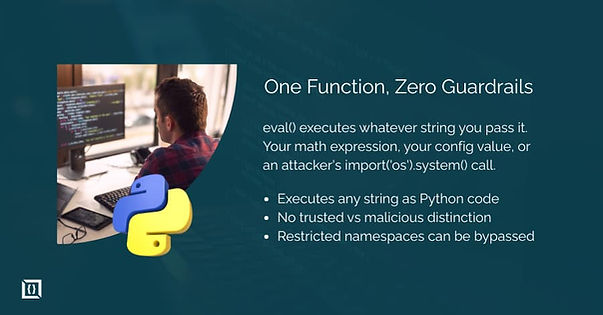
eval() takes a string containing a Python expression, evaluates it, and returns the result. The expression can be anything that produces a value: math operations, function calls, variable references, or boolean comparisons.
result = eval("2 + 3")
print(result) # Output: 5
The function treats the string as actual Python code. This differs from simply storing a string value. When you write "2 + 3", Python sees a string. When you pass it to eval(), Python executes the addition and returns 5.
Syntax of eval()
eval(expression, globals=None, locals=None)
The function accepts three parameters:
- expression: A string containing a valid Python expression
- globals: Optional dictionary defining the global namespace
- locals: Optional dictionary defining the local namespace
A basic call only needs the expression:
eval("10 * 5") # Returns 50
Parameters of eval()
The expression parameter must be a string that Python can parse as an expression. Statements like x = 5 or import os will raise a SyntaxError because they are not expressions. An expression is anything that returns a value: 5 + 3, len([1,2,3]), x > 10.
The globals parameter controls which global variables the expression can access. If you pass an empty dictionary, the expression cannot access any global variables or built-in functions:
eval("len([1, 2, 3])", {}) # Raises NameError: name 'len' is not defined
To allow built-ins while restricting other globals, include them explicitly:
eval("len([1, 2, 3])", {"__builtins__": __builtins__}) # Returns 3
The locals parameter works similarly but for local variable scope. If omitted, it defaults to the globals dictionary. When both are provided, Python checks locals first, then globals.
Return Value of eval()
eval() returns whatever the expression evaluates to. This can be any Python object:
eval("5 + 3") # Returns int: 8
eval("'hello'.upper()") # Returns str: 'HELLO'
eval("[1, 2, 3]") # Returns list: [1, 2, 3]
eval("True and False") # Returns bool: False
If the expression is invalid or raises an exception during evaluation, that exception propagates to the caller.
When and Why to Use eval()
Most Python code never needs eval(). The function exists for specific situations where you need to execute code determined at runtime. In typical application code, there is almost always a safer alternative.
Evaluating Mathematical Expressions
One common use case is evaluating math expressions from strings. If you build a calculator or need to process formulas, eval() handles the parsing:
expression = "2 + 3 * 4"
result = eval(expression)
print(result) # Output: 14
Python applies standard operator precedence. The multiplication happens before addition, giving 14 rather than 20.
You can also use Python's math capabilities:
import math
result = eval("math.sqrt(16) + math.pi", {"math": math})
print(result) # Output: 7.141592653589793
For user-facing calculators, this approach carries security risks (covered below). But for internal tools processing trusted input, it works. The alternative is writing your own expression parser, which is significantly more work for the same result.
Executing Dynamic Code
Sometimes you need to construct and execute code at runtime. Configuration systems, templating engines, and developer tools occasionally require this capability.
operation = "max"
values = "[5, 2, 9, 1]"
result = eval(f"{operation}({values})")
print(result) # Output: 9
This pattern makes sense when the code comes from a controlled source, like a configuration file you wrote. It becomes dangerous when the input comes from users or external systems.
Using eval() with Globals and Locals
The globals and locals parameters let you control the execution environment. You can restrict what the expression can access or inject specific variables.
Restricting access:
# Only allow specific functions
allowed = {"abs": abs, "round": round}
result = eval("abs(-5) + round(3.7)", allowed)
print(result) # Output: 9
Injecting variables:
variables = {"x": 10, "y": 20}
result = eval("x + y", {}, variables)
print(result) # Output: 30
This gives you some control over the execution environment, but it does not make eval() safe for untrusted input. Determined attackers can still escape restricted environments.
Practical Examples of eval() in Python
These examples show eval() in action. Each demonstrates a specific use case with working code.
Example 1: Simple Math Calculation
A basic calculator that evaluates expressions:
def calculate(expression):
try:
result = eval(expression)
return result
except (SyntaxError, NameError) as e:
return f"Invalid expression: {e}"
print(calculate("100 / 4")) # Output: 25.0
print(calculate("2 ** 10")) # Output: 1024
print(calculate("invalid +")) # Output: Invalid expression: ...
This works for trusted input. For user input, you need additional validation or a different approach entirely.
Example 2: Dynamic Variable Access
Accessing variables by name stored in a string:
data = {
"price": 99.99,
"quantity": 5,
"discount": 0.1
}
field_name = "price"
value = eval(field_name, {}, data)
print(value) # Output: 99.99
# Calculate total with discount
formula = "price * quantity * (1 - discount)"
total = eval(formula, {}, data)
print(total) # Output: 449.955
Note that for simple variable access, data[field_name] is cleaner and safer. eval() adds value when you need to evaluate expressions, not just look up values.
Example 3: Conditional Evaluation
Evaluating boolean expressions:
def check_condition(condition, context):
return eval (condition, {}, context)
user = {"age": 25, "subscription": "premium", "balance": 150}
print(check_condition("age >= 18", user)) # True
print(check_condition("subscription == 'premium'", user)) # True
print(check_condition("balance > 100 and age < 30", user)) # True
This pattern appears in rule engines and configuration systems where conditions are stored as strings. Again, only use this with trusted input sources.
Differences Between eval() and input()
input() reads a string from the user. eval() executes a string as code. Combining them creates a direct code injection vulnerability.
# Dangerous pattern
user_input = input("Enter something: ")
result = eval(user_input)
If a user enters import('os').system('rm -rf /'), Python will attempt to execute that command. Never use eval(input()) in production code.
In Python 2, input() actually behaved like eval(raw_input()), which caused many security issues. Python 3 fixed this by making input() return a plain string. Always use Python 3 for new projects.
Security Risks and Best Practices
eval() is often called dangerous, and for good reason. Understanding the risks helps you decide when the function is appropriate.
Why eval() Can Be Dangerous
eval() executes arbitrary Python code. If an attacker controls the input string, they can run any code your Python process can run. This includes reading files, making network requests, deleting data, or taking over the system.
Common attack vectors:
# Access the file system
eval("open('/etc/passwd').read()")
# Import and use modules
eval("__import__('os').system('whoami')")
# Access object internals
eval("().__class__.__bases__[0].__subclasses__()")
The last example is particularly concerning. Even with restricted globals, attackers can navigate Python's object model to access dangerous functions. Starting from any object, you can traverse class, bases, and subclasses() to find classes like os._wrap_close that provide system access.
Restricting the namespace does not fully prevent attacks. Security researchers have found numerous ways to escape restricted eval() environments. If an attacker controls the input, assume they can execute arbitrary code.
How to Avoid Security Issues
The safest approach is to avoid eval() with any untrusted input. If you need dynamic evaluation, consider these strategies:
Whitelist allowed operations. If you only need math, validate that the input contains only digits, operators, and parentheses:
import re
def safe_math_eval(expression):
if re.match(r'^[\d\s\+\-\*\/\(\)\.]+$', expression):
return eval (expression)
raise ValueError("Invalid characters in expression")
safe_math_eval("2 + 3 * 4") # Returns 14
safe_math_eval("import os") # Raises ValueError
This is not foolproof but reduces the attack surface significantly. An attacker cannot call functions or access objects with only digits and operators.
Use a timeout. Long-running expressions can cause denial of service. The signal module can enforce time limits on Unix systems:
import signal
def timeout_handler(signum, frame):
raise TimeoutError("Expression took too long")
signal.signal(signal.SIGALRM, timeout_handler)
signal.alarm(1) # 1 second timeout
try:
result = eval(expression)
finally:
signal.alarm(0) # Cancel timeout
Run in a sandbox. For high-risk scenarios, evaluate code in a separate process with restricted permissions, limited resources, and no network access. This is complex to implement correctly but provides stronger isolation.
Safe Alternatives to eval()
For specific use cases, safer alternatives exist:
ast.literal_eval() safely evaluates strings containing Python literals (strings, numbers, lists, dicts, tuples, booleans, None):
import ast
ast.literal_eval("[1, 2, 3]") # Returns [1, 2, 3]
ast.literal_eval("{'a': 1}") # Returns {'a': 1}
ast.literal_eval("(1, 2, 3)") # Returns (1, 2, 3)
ast.literal_eval("os.system('ls')") # Raises ValueError
This works well for parsing data structures from configuration files or deserializing simple data. It cannot execute function calls or access variables, which is exactly what makes it safe.
For JSON data, use json.loads():
import json
data = json.loads('{"name": "Alice", "age": 30}')
print(data["name"]) # Output: Alice
JSON is more restrictive than Python literals (no tuples, no trailing commas), but it is a well-defined format with fast parsers.
For math expressions specifically, consider libraries like numexpr or simpleeval that parse expressions without executing arbitrary code:
from simpleeval import simple_eval
simple_eval("2 + 3 * 4") # Returns 14
simple_eval("import os") # Raises FeatureNotAvailable
These libraries parse the expression into an AST and evaluate it with restrictions, preventing code execution attacks.
Your Next Move
eval() executes Python expressions from strings. It is useful for calculators, configuration systems, and developer tools where you control the input. The function is dangerous when used with untrusted input because it enables arbitrary code execution.
Before using eval(), consider alternatives. ast.literal_eval() handles Python data structures safely. json.loads() parses JSON. Purpose-built expression parsers handle math without the security risks. These cover most use cases where developers reach for eval().
If you do use eval(), restrict the namespace with the globals and locals parameters, validate input patterns strictly, and never pass user input directly. Test your restrictions, because security researchers have bypassed many supposedly restricted eval() environments.
The function exists for a reason. Dynamic code execution has legitimate uses in metaprogramming, debugging tools, and interactive interpreters. Just understand what you are enabling when you call it, and make sure that compromise makes sense for your specific situation.
You can also connect with us to get guidance on safely using dynamic code execution in Python, review your implementation, or explore alternative approaches that reduce security risks.
Frequently Asked Questions
What is the performance impact of eval() vs native Python code?
eval() is slower than native code. Each call parses the string, compiles it to bytecode, and then executes. Native code skips the parsing and compilation steps.
For a single evaluation, the difference is negligible. But calling eval() in a loop adds measurable overhead. If performance matters, compile the expression once using compile() and reuse it:
compiled = compile("x * 2 + 1", "<string>", "eval")
for x in range(1000):
result = eval(compiled, {}, {"x": x})
Can eval() access imported modules and how?
Yes, if the module is in the global namespace passed to eval():
import math
result = eval("math.sqrt(16)", {"math": math})
print(result) # Output: 4.0
If you pass an empty globals dictionary, the expression cannot access any modules. This is one way to restrict what code can do, though it is not a complete security solution.
What's the difference between eval() and exec() in Python?
eval() evaluates expressions and returns a value. exec() executes statements and returns None.
# eval() works with expressions
result = eval("5 + 3") # Returns 8
# exec() works with statements
exec("x = 5 + 3") # Returns None, but x is now defined
Use eval() when you need the result of an expression. Use exec() when you need to run statements like assignments, loops, or function definitions. Both carry the same security risks.
Does eval() work with Python 2 vs Python 3 differently?
The function itself works similarly, but Python 2 had a dangerous input() behavior. In Python 2, input() was equivalent to eval(raw_input()), automatically evaluating whatever the user typed.
Python 3 fixed this. input() now returns a plain string. You must explicitly call eval() to evaluate it.
If you maintain Python 2 code (which you should migrate), use raw_input() instead of input() to avoid unintended code execution.